Every draft. Every signature. One unbroken record
Specs, SOPs, work instructions, and manuals move through one version-controlled path, from draft through every approval to a signed, timestamped record, and stay linked to the formulation, batch, or test data that produced them.
Deployed by 175+ enterprise product development teams






Deployed by Enterprise R&D and Innovation Teams


What 'controlled' looks like with Uncountable
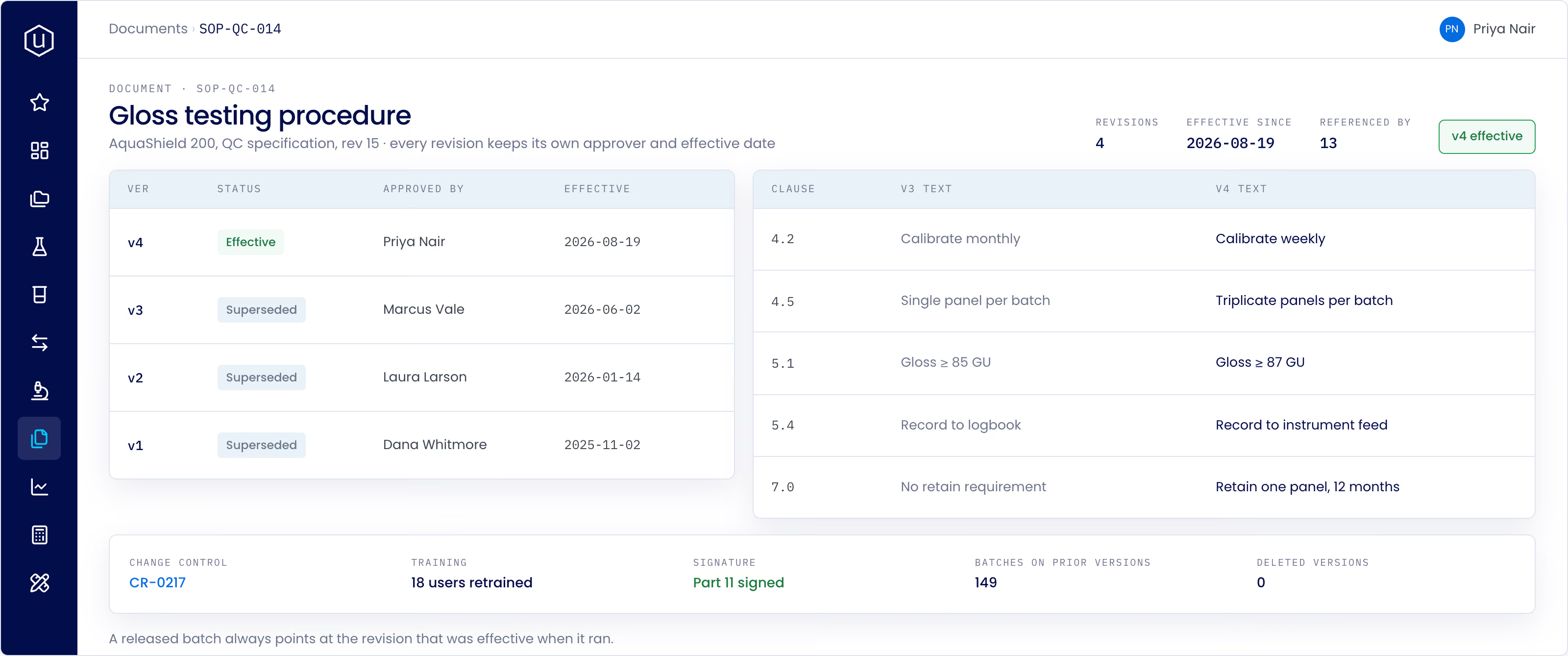
Open any controlled document and see its full story: who drafted it, who approved it, when it went effective, and what it replaced. Nothing lives outside the record.
How the record stays whole
A document becomes the controlled version of record the moment it's created, already versioned and owned, instead of being written elsewhere and uploaded in once the work is done.
Version one, not draft zero: Every document opens already under version control, with an owner and a document type assigned from the start.
No upload required: It's the controlled record from creation, not a file someone formats and files away later.
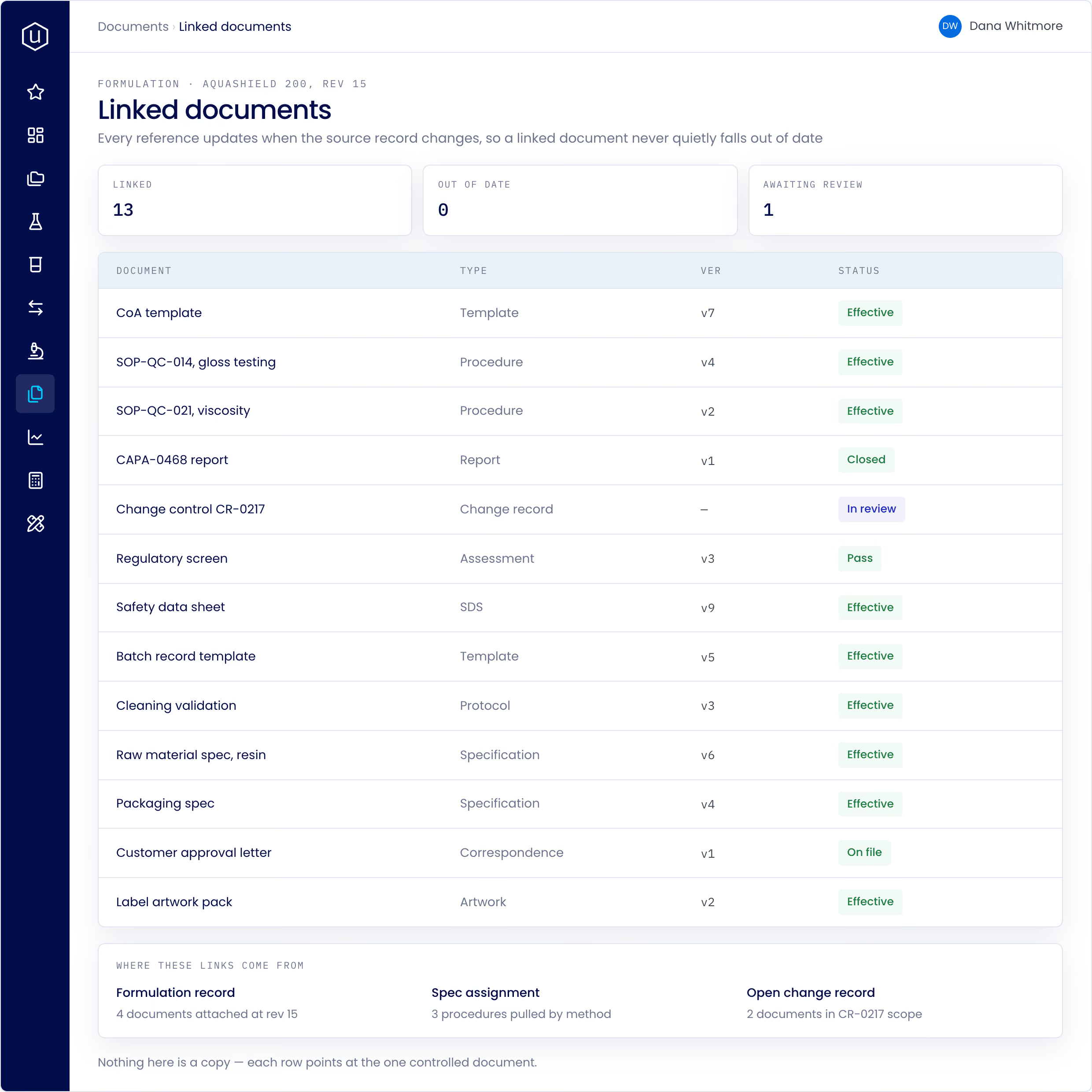
Linked to where it came from: Still connects automatically to the formulation, batch, or quality event that produced it, without anyone re-entering it by hand.
A redline shows a diff against the current version and routes through the same review and approval path every time, then folds into the document's version history instead of living as a separate file.
See the change, not just the file: Every redline carries a diff against the current version, along with its own reason for the change.
Reviewed exactly how you need it: A document moves through as many configurable review phases as your process requires before a version is approved.
Routed through a Change Request: Approval rules are configurable per document type, business unit, or change classification, and every decision, approved or rejected, keeps its own signed record.
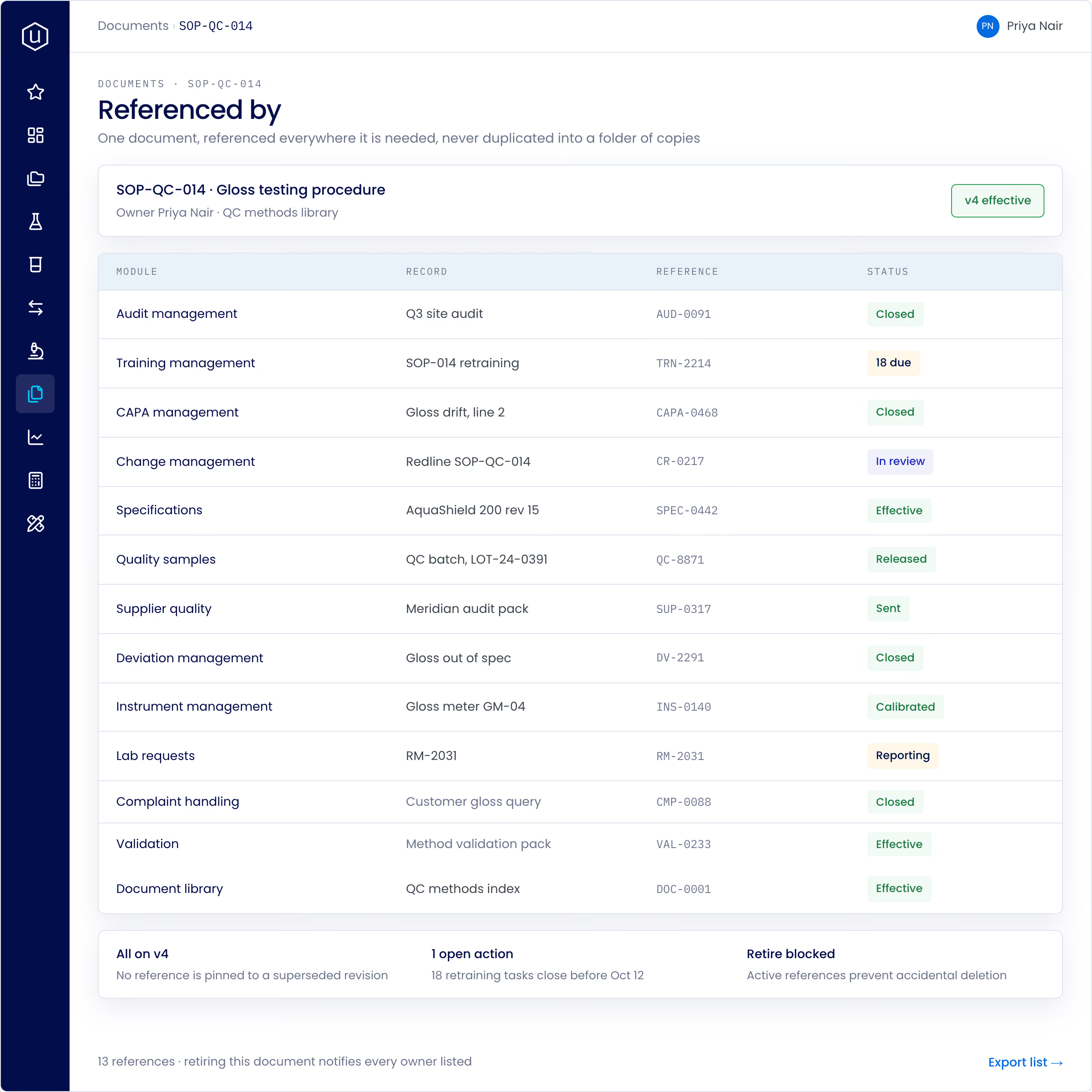
A single source of truth for every SOP and spec, the backbone every other quality module points back to, from audits to training to change control.
Nothing to duplicate: Every version is approved through a Change Request and can require a Training Module. Document doesn't keep a separate copy of either, it just links out.
Training stays current: A revised SOP flags everyone who needs to retrain, so the procedure and the training record for it never fall out of sync.
Reviewed on a schedule: Documents carry a periodic review interval by type, so one going stale gets flagged before anyone cites it as current.
Grounded in the record, not a folder of maybes
The same question, asked of an AI system reading two different setups. The only variable is what it can actually see.
Why was this SOP revised, and is the version everyone's using still current?
Built into the day-to-day
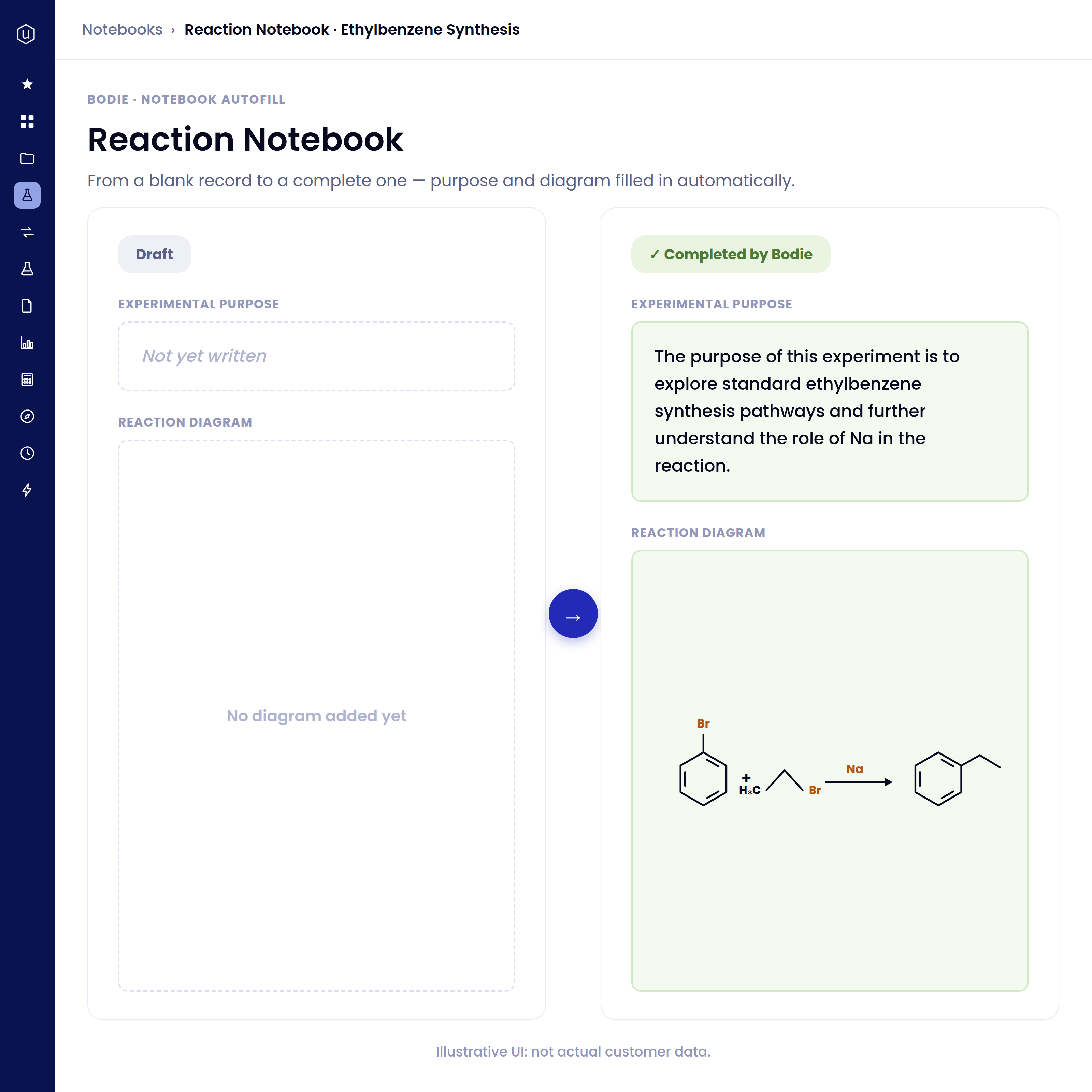
Documents are created alongside the project record from day one, instead of being written up and exported into a separate system once the work is done.
Only the version of a document that actually changed marks itself as requiring retraining, so operators aren't resent a module for a typo fix that never touched procedure.
A change request routes to every reviewer your process requires, so a redline doesn't publish without the sign-offs it's configured to need.
Ask Bodie to pull up any document, its full approval history, and every signature behind it, instead of a folder hunt across systems the week before an audit.
The document a QC analyst opens is the exact version an approver signed off on, never a copy someone re-typed along the way.
Ask a question about a past decision and get an answer grounded in the record and the report that explains it, not a list of files that might be related.
The details that hold up in an audit
Versioned document control
Full approval lifecycle
One identity, fully described
Every version, fully attributed
Signed off, not just saved
.png)
See your own documents under control.
Bring a spec, an SOP, or a report, and we'll show you exactly how it's versioned, approved, and signed.
FAQs
It ships as part of the Quality and Project Management suites, the same controlled document engine that audits, training, CAPA, and change control all point back to instead of duplicating.
Yes. Every document keeps a full version history, and an earlier version stays retrievable even after a new one is approved.
Yes, when the Gen AI module is enabled. Bodie indexes uploaded documents and can search, summarize, and answer questions grounded in both the documents and the data they reference.
See document management in action.