One product record. Every version, every change, every approval.
PLM for formulated products and engineered assemblies, built on the same data model as the lab. Every BOM and formula version carries its specifications, documents and approvals; and the experiments that produced it. Change a material and the record lists the products and sub-recipes that depend on it before you commit.
Deployed by 175+ enterprise product development teams







Deployed by Enterprise R&D and Innovation Teams



Built for how you manufacture
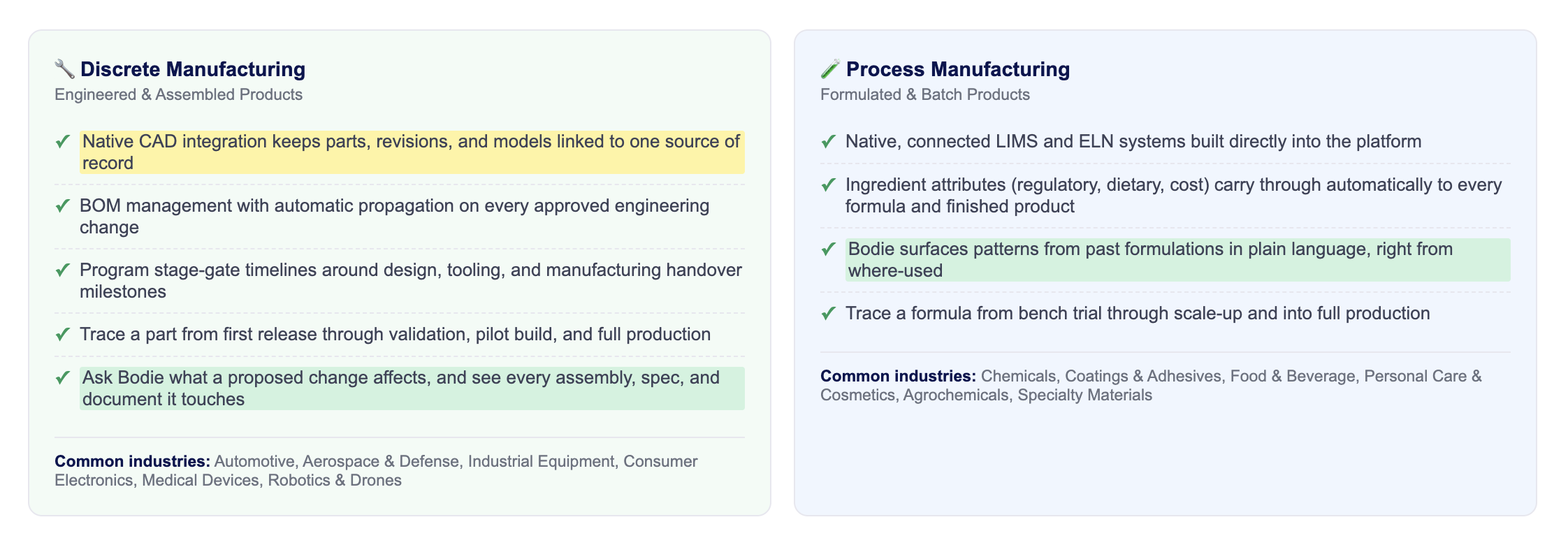
Uncountable's PLM specializes in two kinds of manufacturing: formulations & process manufactured products and engineering & discrete manufactured products, each with its own workflows, vocabulary, and integrations. Find the one built for you.
Open a product record
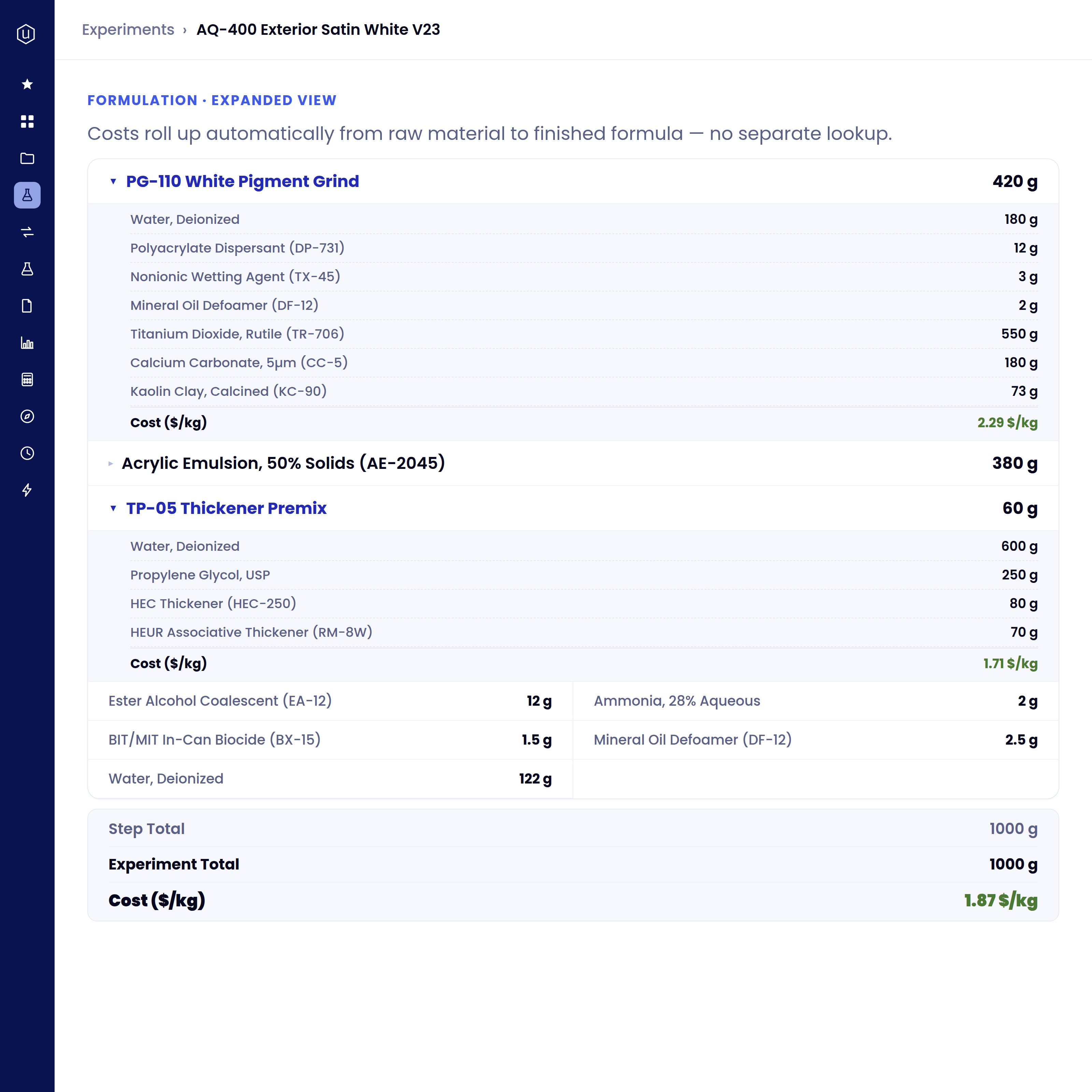
The BOM is structured, not a document. Sub-recipes and sub-assemblies nest to any level, and quantity, cost, and composition roll up through every parent automatically.
- Formulation and assembly on one structure: ingredients, parts, and intermediates in the same tree
- Cost per kilogram or per unit, recalculated when a raw material price changes
- Alternates and approved substitutes held on the line, with their own specifications
- Composition rolls up for regulatory and label attributes, not just cost
The bill of materials is a structure, not a document: sub-recipes expand inline, and cost carries on every row up to a cost per kilogram on the finished product.
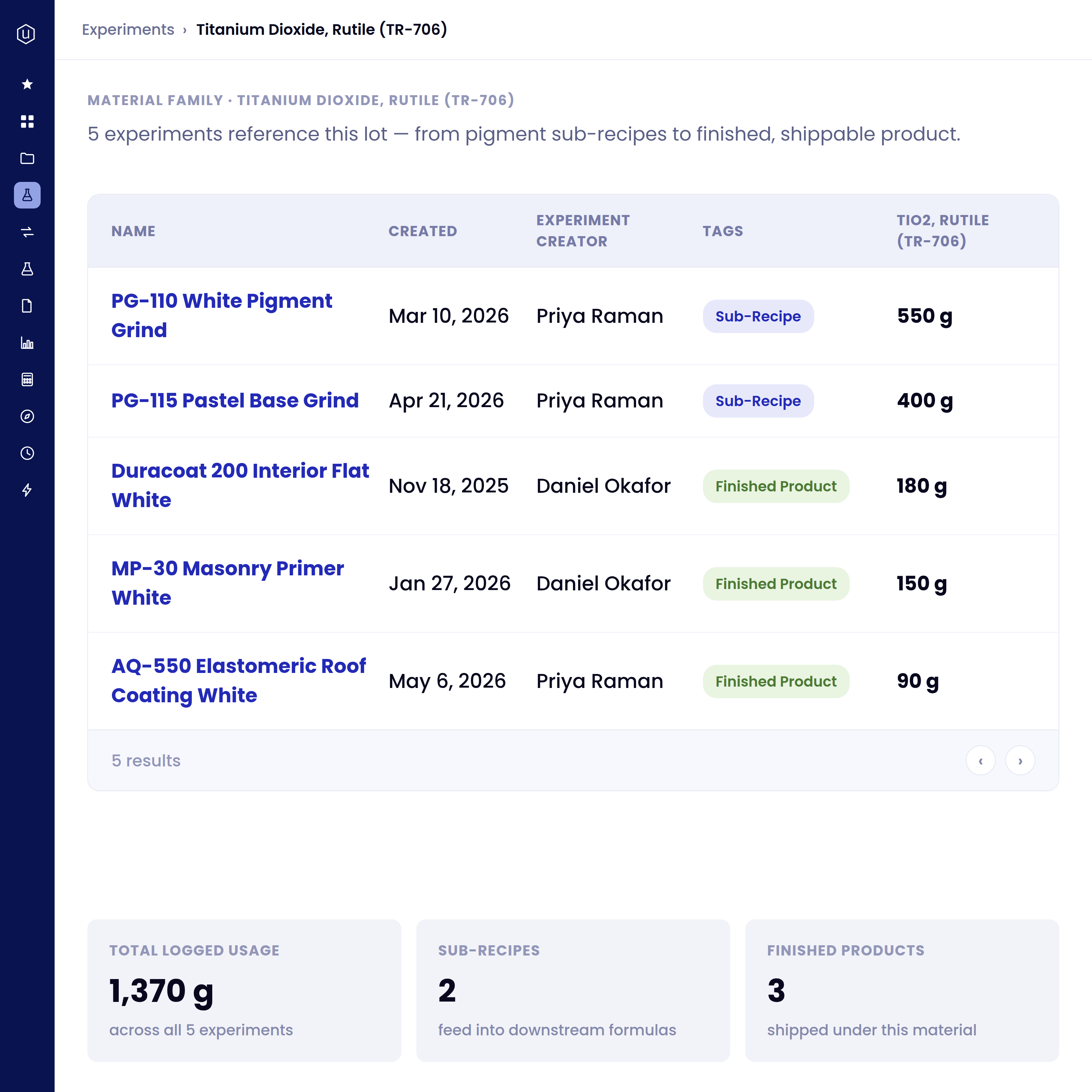
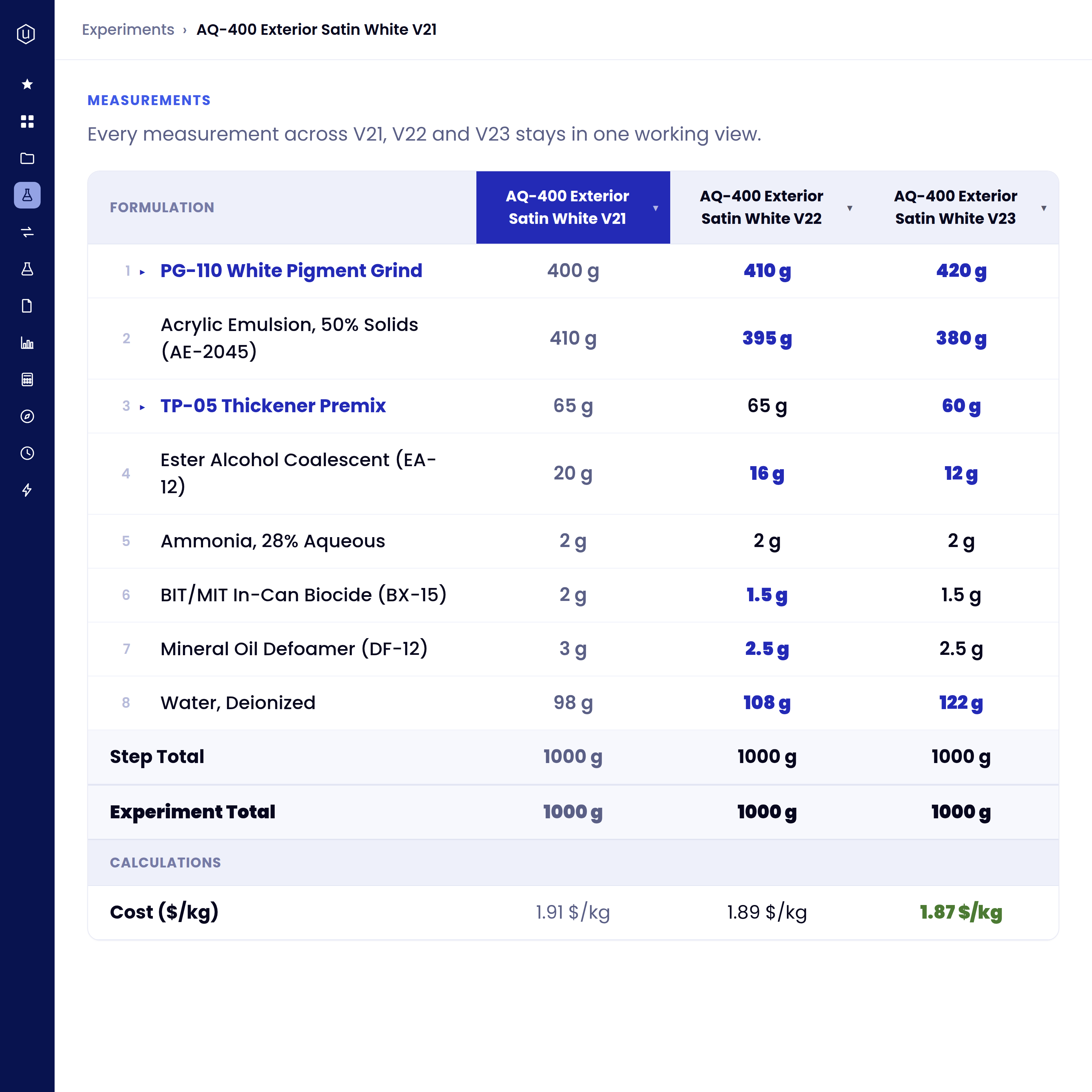
Put three revisions of the same recipe side by side and the differences mark themselves. Changed values are emphasised cell by cell, so you see what actually moved between one revision and the next instead of reading two specs in two tabs.
- Revisions compared as columns on one screen, with changed values highlighted
- The R&D work stays attached: the trials and results behind each revision
- Documents and files held against the recipe they belong to
- Notebooks have their own full side-by-side comparison
Put revisions of the same recipe side by side and the changed values mark themselves, so you see what actually moved instead of reading two specs in two tabs.
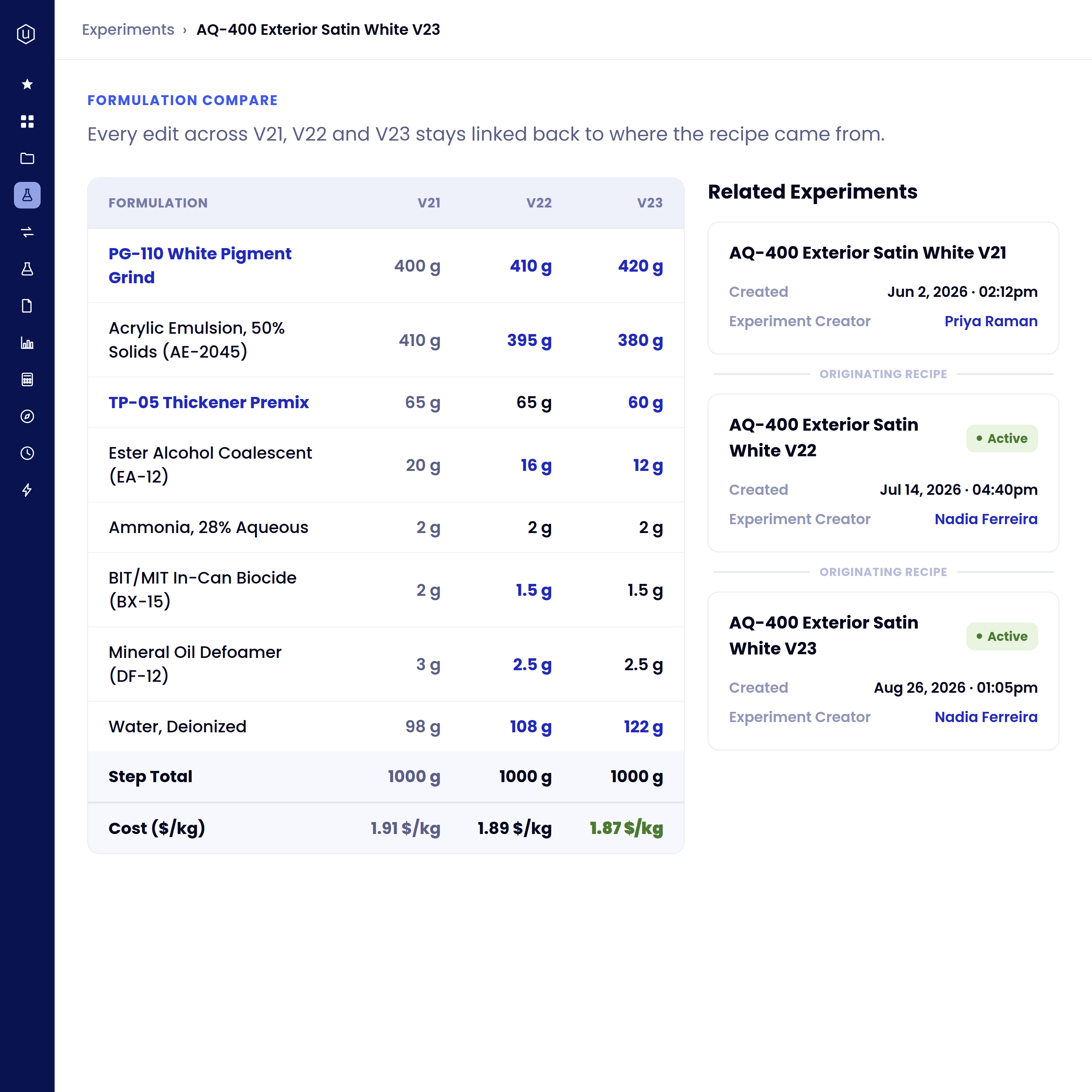
Open a raw material and see what depends on it. The material page lists the finished products and sub-recipes that use it directly, with a count, so a substitution starts from a list instead of a search.
- A filtered list, with a count, of the finished products and sub-recipes that use the material directly
- Runs from the material, not the product; the inverse of the lookup most systems make you do
- Each product on the list opens to its full record, including the experiments behind the current version
Open a raw material and the products and sub-recipes that depend on it are already listed, with a count, so a substitution starts from a list rather than a search.
Changes are proposed, reviewed, and released against the record. The version that goes to production is the version that was approved.
- Review and sign-off logged against the revision, with comments retained
- Released versions carry their full formulation and approval trail into production
- Batch history stays linked back to the released version in QC and MES
- Release to ERP without re-keying
Changes move through defined phases with named review groups, and the version that reaches production is the one those reviewers signed off.
CAD files on the product record
A part number, its revision history and its native CAD file live inside the same record as the BOM.
Behr, by the numbers
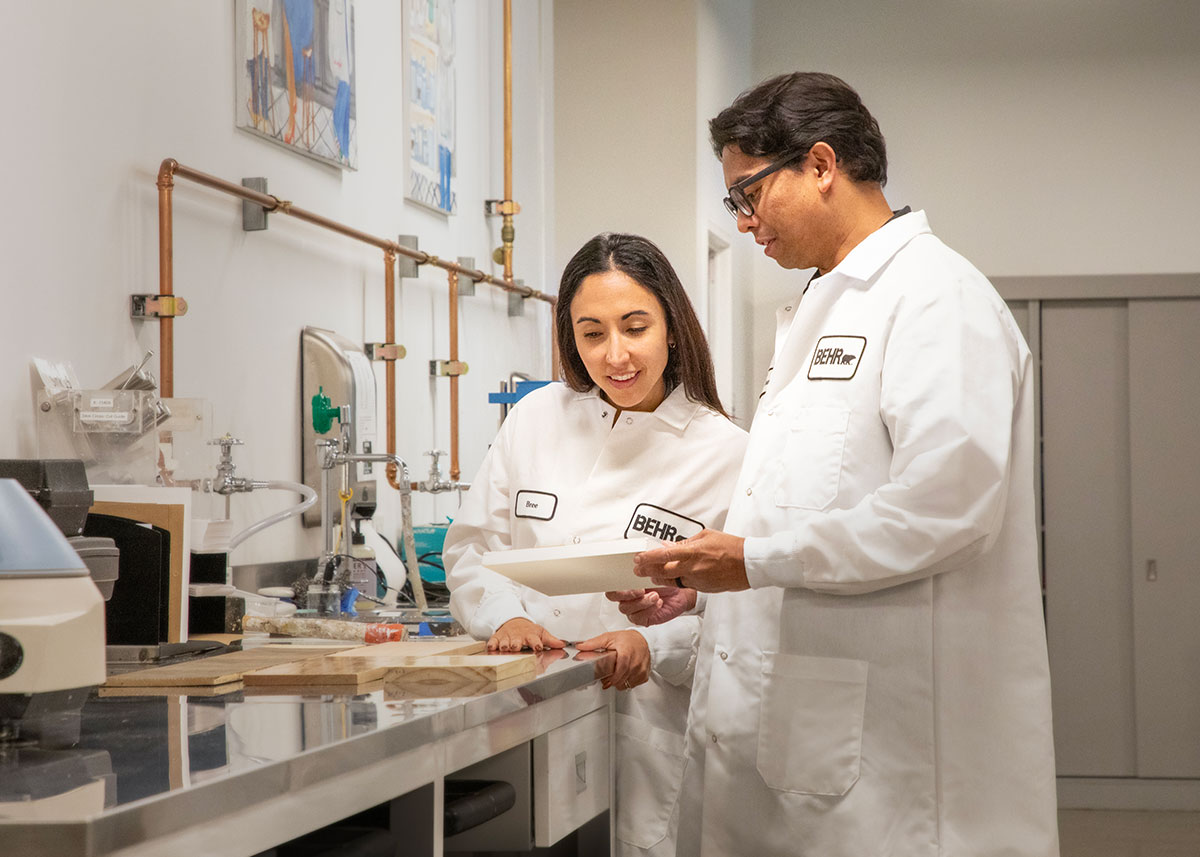
How Behr Paint Company unified R&D and product approval workflows with Uncountable

5 labs
34 hrs
6 Steps
What this changes on an ordinary Tuesday
A supplier discontinues an ingredient. Open the material and the products and sub-recipes using it are already listed, with a count, instead of a week of spreadsheet archaeology.
A raw material price rises. Every affected product reprices through the BOM, and anything that falls below margin is flagged on the record.
Two versions of the same coating perform differently in the field. Open both revisions side by side — formulation, process conditions, and test results — and see what actually changed.
A specification tightens. Every product built against it inherits the new limit, and anything out of range surfaces immediately rather than at the next audit.
A drawing is revised. The new file lands on the part record with its revision, and every assembly referencing it points at the current version.
A formula is ready to go live. The approved recipe releases into production with its full formulation and approval trail, so what runs on the floor matches what was signed off.
.png)
Traditional PLM captures version history. We also capture how each version was developed.
Uncountable holds the development record and the version history on the same structured data model, for a recipe or an assembly alike, and that development layer is why the product record can answer why as well as what.
FAQs
Both patterns are common, and which one fits depends on what your current PLM actually does. If it's primarily a document vault (specs, PDFs, approvals) Uncountable generally replaces it, because the same record holds the documents and the data behind them. If you run an engineering PLM for CAD and part management, Uncountable more often sits alongside it and owns the formulation side.
There's no fixed depth limit: a recipe can contain an intermediate that contains another intermediate, as far down as your products actually go. Cost and composition recalculate at every level, so a raw material price change reprices the intermediate, the sub-recipe, and the finished product in one pass. Cost is held per kilogram or per unit depending on how the product is made.
Yes. Release can be gated on defined reviewers signing off, and a revision can't move to release status until they have. Every comment and approval is logged against the version itself, with who approved it and when, so anyone opening the record later sees exactly which version was signed off rather than chasing a printed spec routed for initials.
Bring a real BOM.