Your lab data, wherever your other systems need it
Uncountable connects to ERP, LIMS, MES, data platforms and instruments through a documented REST API, a typed Python SDK, no-code triggers and webhooks, and an integration server for scheduled and event-driven jobs. Every call runs with the same permissions and audit trail as the user interface.
Deployed by 175+ enterprise product development teams







Deployed by Enterprise R&D and Innovation Teams



Five ways to connect.
One permission model.
Every tool below works on the same data model as the rest of the platform, so a field or record type an admin adds is ready to integrate the day it is saved. All of them respect the permissions and audit trail you already approved.
REST API
Python SDK
Triggers
Signed webhooks
Integration server
One record of the science, shared with the systems around it
Most labs run Uncountable next to an ERP that owns materials and purchasing, a LIMS or MES on the plant side, and a data platform where analysts work. When those systems trade data by export and re-entry, the same result is typed twice and stored three times. Uncountable passes data to other systems the moment it changes, and new fields are available through the API as soon as an admin saves them.
The toolkit in detail
Call the REST API directly, or use the typed Python SDK that wraps it.
Fields by reference name
Generic endpoints read and write any field or record type an admin configures, including inventory lots and QMS records.
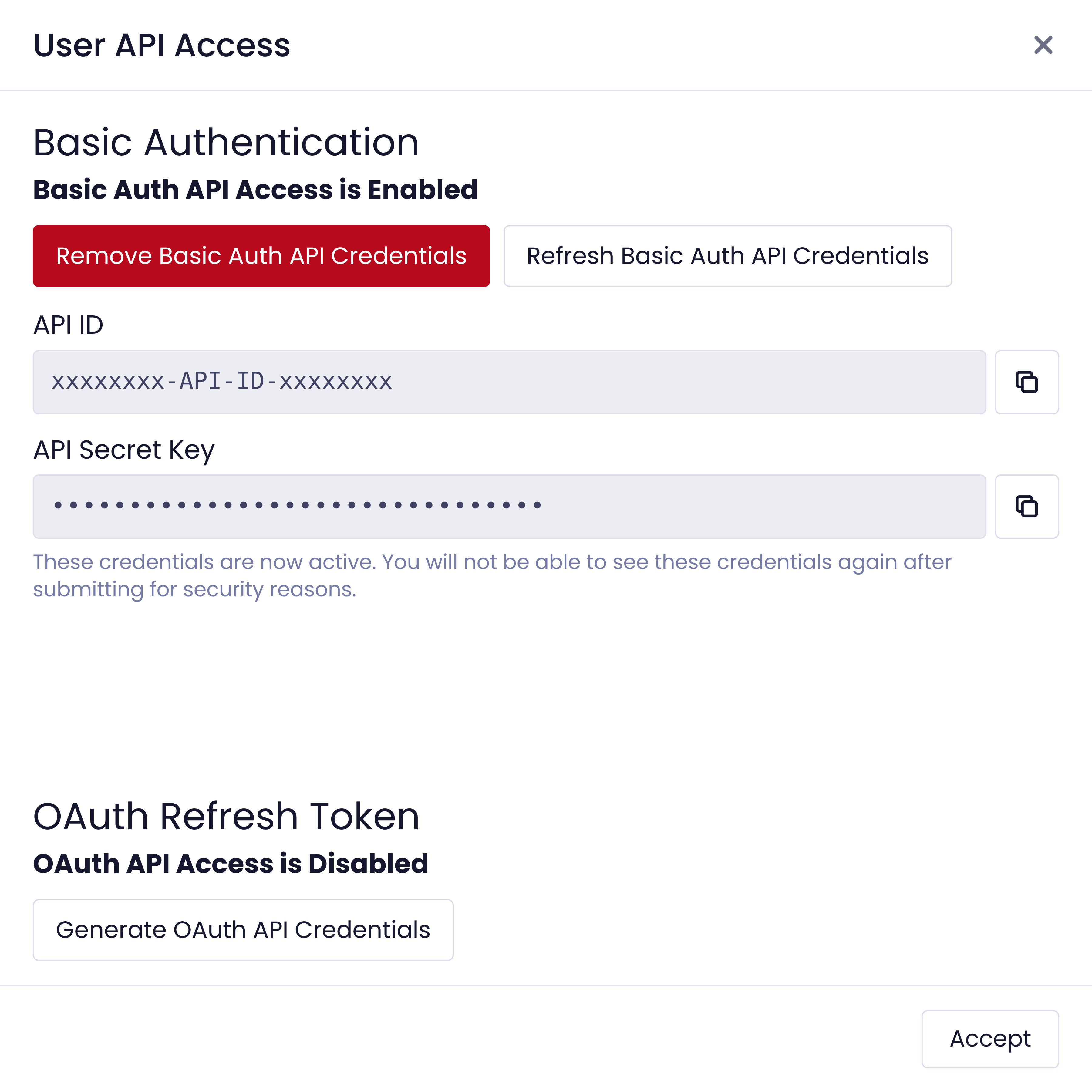
API key or OAuth 2.0
Authenticate with an API ID and secret, or OAuth 2.0 with short-lived bearer tokens. Customer admins create, rotate and revoke credentials.
Python SDK
One typed method per endpoint, with automatic token refresh and batched writes. Install with pip install UncountablePythonSDK.
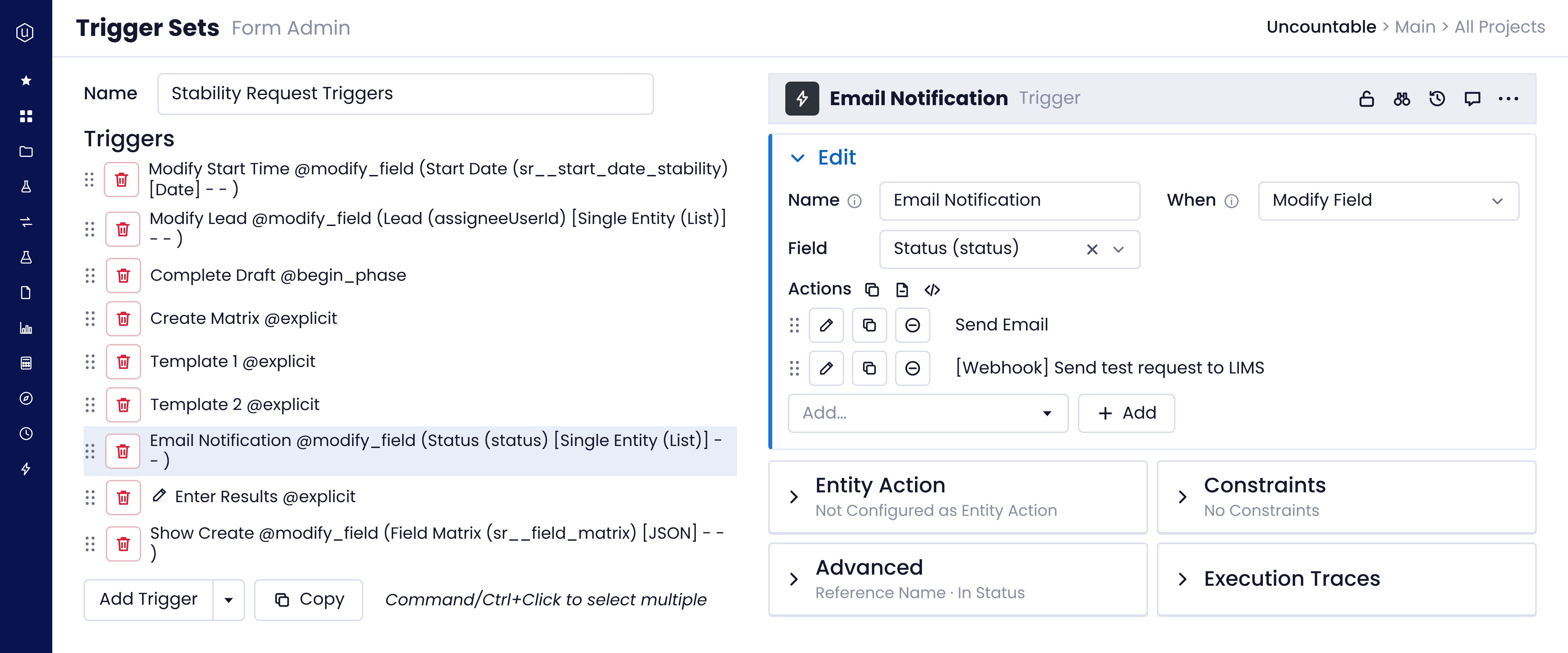
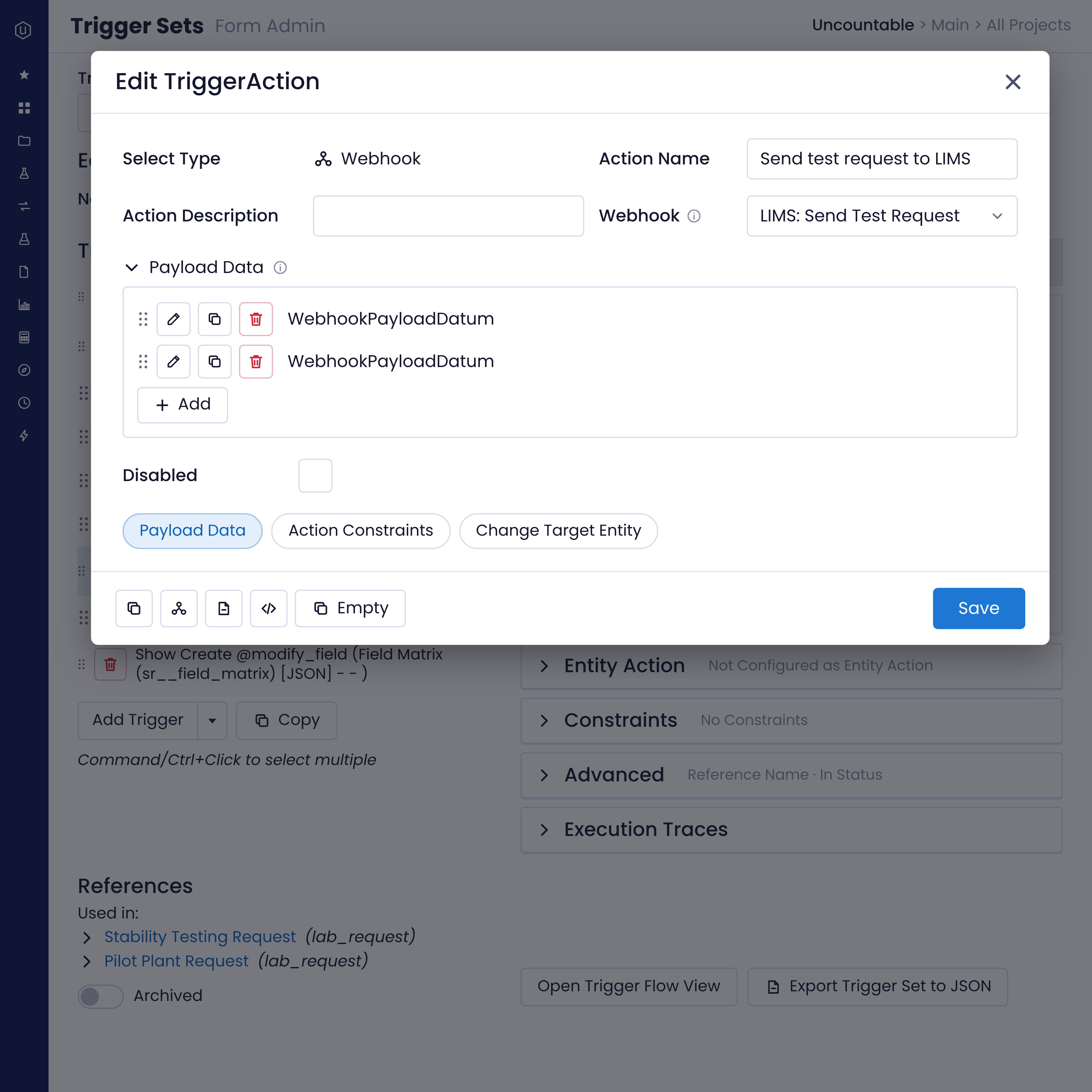
Send data out the moment it changes. An admin sets up triggers and webhooks in the platform, with no code and no release.
Fire on any change
A record is created, signed or moves phase, a field changes, a barcode is scanned, or a schedule comes due.
Run actions with no code
Set values, create records, notify people, call a webhook or hand a task to Bodie.
Signed payloads
Each webhook POST carries an HMAC-SHA256 signature of its body, so the receiver can verify it.
Retries and a delivery log
Up to five retries over about 13 hours, with each delivery's status and response recorded.
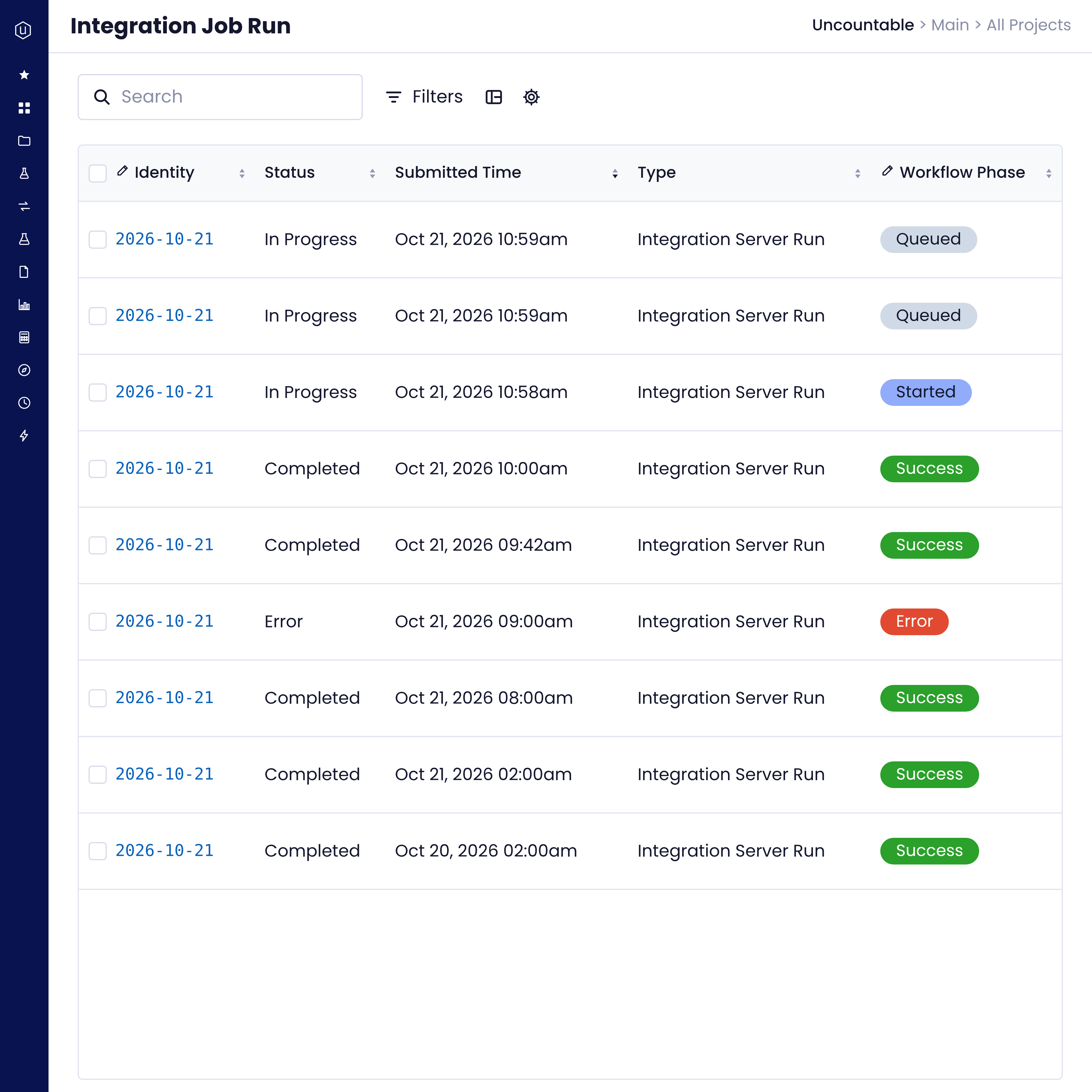
Uncountable hosts the integration server beside your deployment or in a separate cloud account. It runs on the public Python SDK:
Scheduled jobs: Recurring jobs on a cron schedule, such as a nightly ERP sync.
Webhook jobs: Signed requests are queued, acknowledged at once and processed asynchronously.
Custom endpoints: Synchronous GET or POST endpoints for systems that need an answer straight away.
Live services: Long-running connections, such as a live scale feed.
SFTP and S3 pickup: A no-code job polls a folder, archives what it finds and parses it into Uncountable.
Your code, readable: Integration code lives in a repository your team can read and change.
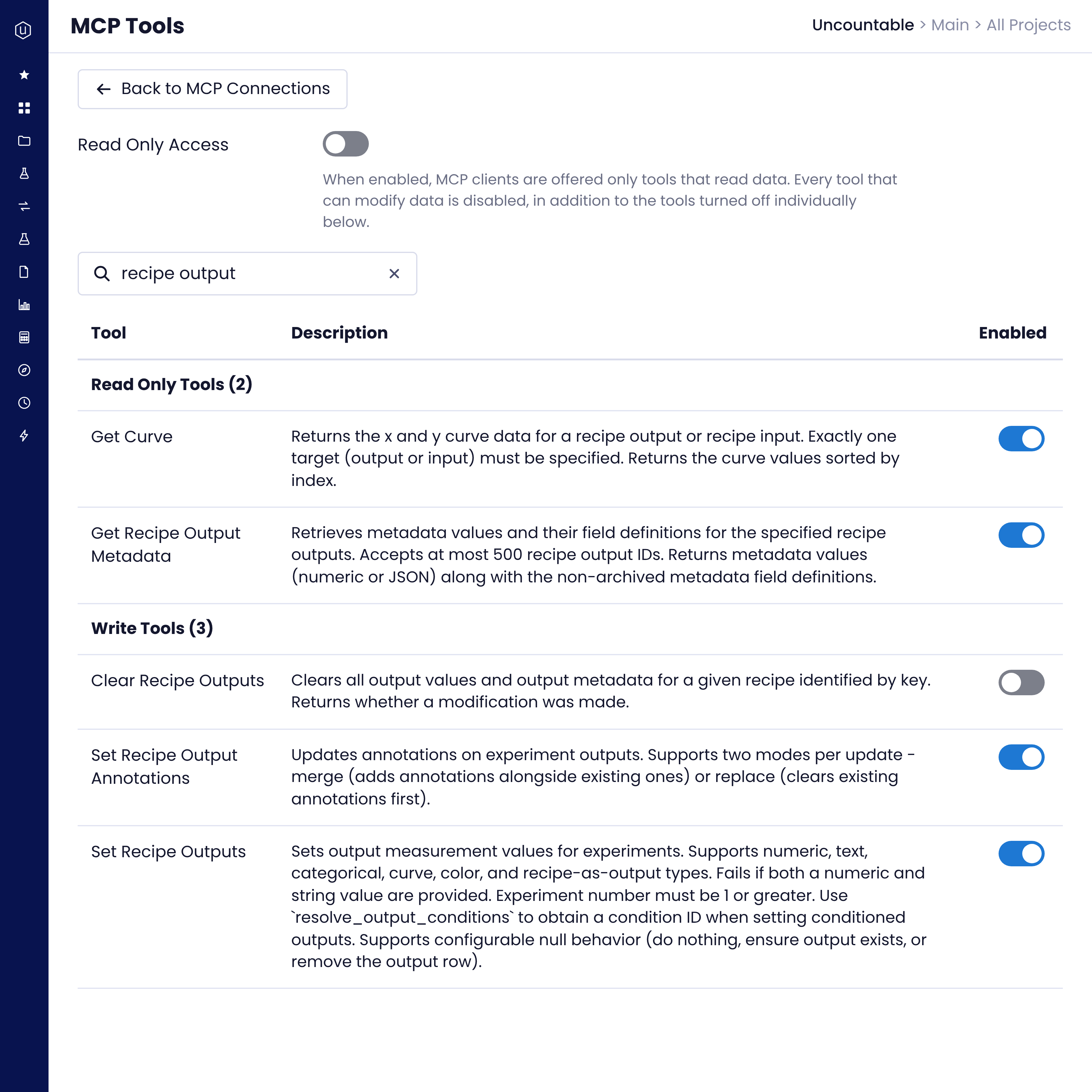
Available on request, the Uncountable MCP server lets the AI assistants your organization already uses work with Uncountable data:
Search and read
Find records, experiment and result data, files and notebooks.
Create and update
Set values, create records, and run parsers or triggers.
Each user's permissions
Assistants act under the signed-in user's own access.
Admin control
Turn individual tools off, or switch off every write tool with one setting.
Before and after connecting your systems
Without connected systems
With Uncountable integrations
Systems teams connect to Uncountable
SAP S/4HANA QM integration for inspection lots and characteristics through OData, with scheduled synchronization.
Send test requests out and bring results back through webhooks, the API or SFTP file pickup.
We deliver customer-specific MES and PLM data loads that bring item, formula and specification data into Uncountable.
Load warehouse data into Uncountable, and pull experiment and quality data out with bulk and asynchronous exports.
Built-in parsers for spectroscopy, thermal analysis, rheology, mechanical testing, chromatography and particle data, plus scales and balances over WebUSB.
SAML single sign-on, SCIM user provisioning, office suite editing in notebooks, email, and Excel, CSV, XML and Word import.
Integrations that keep your controls in place
Every integration runs inside the permissions, logging and network controls you already approved for the platform.
From test request to result, with no re-entry
More on the platform
Security, connectivity and compliance details for IT and quality teams.
.png)
One record of the science, wherever it needs to go.
Uncountable keeps formulations, experiments, tests and quality events in one data model, then shares them with the systems around it the moment they change.
FAQs
No. Generic endpoints use each field's reference name, so a field or record type an admin configures is available through the API as soon as it is saved.
No. Each call runs as the credential owner with the same permission checks as the UI, and API writes go to the same audit log as UI edits.
Yes. External systems write through the REST API, or the integration server collects files from SFTP or S3 on a schedule and parses them into Uncountable.
Logged-in users open the OpenAPI reference from the API Documentation quick action in their instance. The Python SDK documentation is public at engineering.uncountable.com/uncountable-python-sdk.
Yes. Non-production environments are available on request, and single-tenant deployments can run separate development, test and production instances.
The API supports synchronous and asynchronous entity exports, table exports and audit log exports, and an integration server job can run an export on a schedule.
API errors include a request ID that our support team can use to investigate. Integration jobs record their status and attempt count, errors are logged, and a failed job can be retried.