
Write safety data sheets where the formula lives
Uncountable puts SDS authoring inside your R&D platform. Draft each section beside the experiment it covers, pull GHS pictograms straight from chemical data, route the sheet through review and download a finished PDF.
Deployed by 175+ enterprise product development teams







Deployed by Enterprise R&D and Innovation Teams



The SDS is always the last to know
Formulation moves fast. The safety data sheet usually doesn’t. It gets drafted at the end, often by another team in another tool, with hazard data re-keyed by hand and pictograms pasted in as images. Change the formula and nobody is sure which sheet is current.
From hazard data to finished SDS
Every piece of SDS work happens on the platform your formulators already use, so hazard data starts where it was captured.
SDS sections
GHS pictograms
Display rules
Review workflow
PDF export
Inside SDS authoring
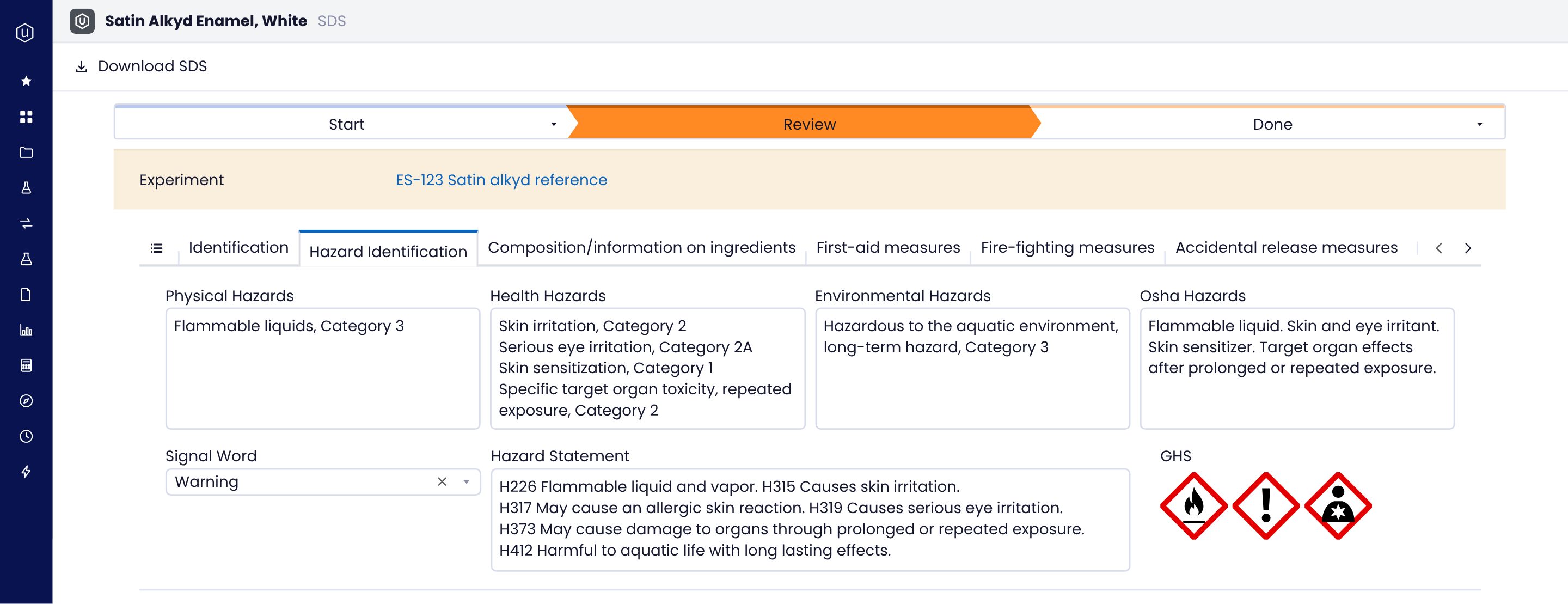
Every safety data sheet in the standard GHS layout, drafted beside the experiment it covers and ready for review.
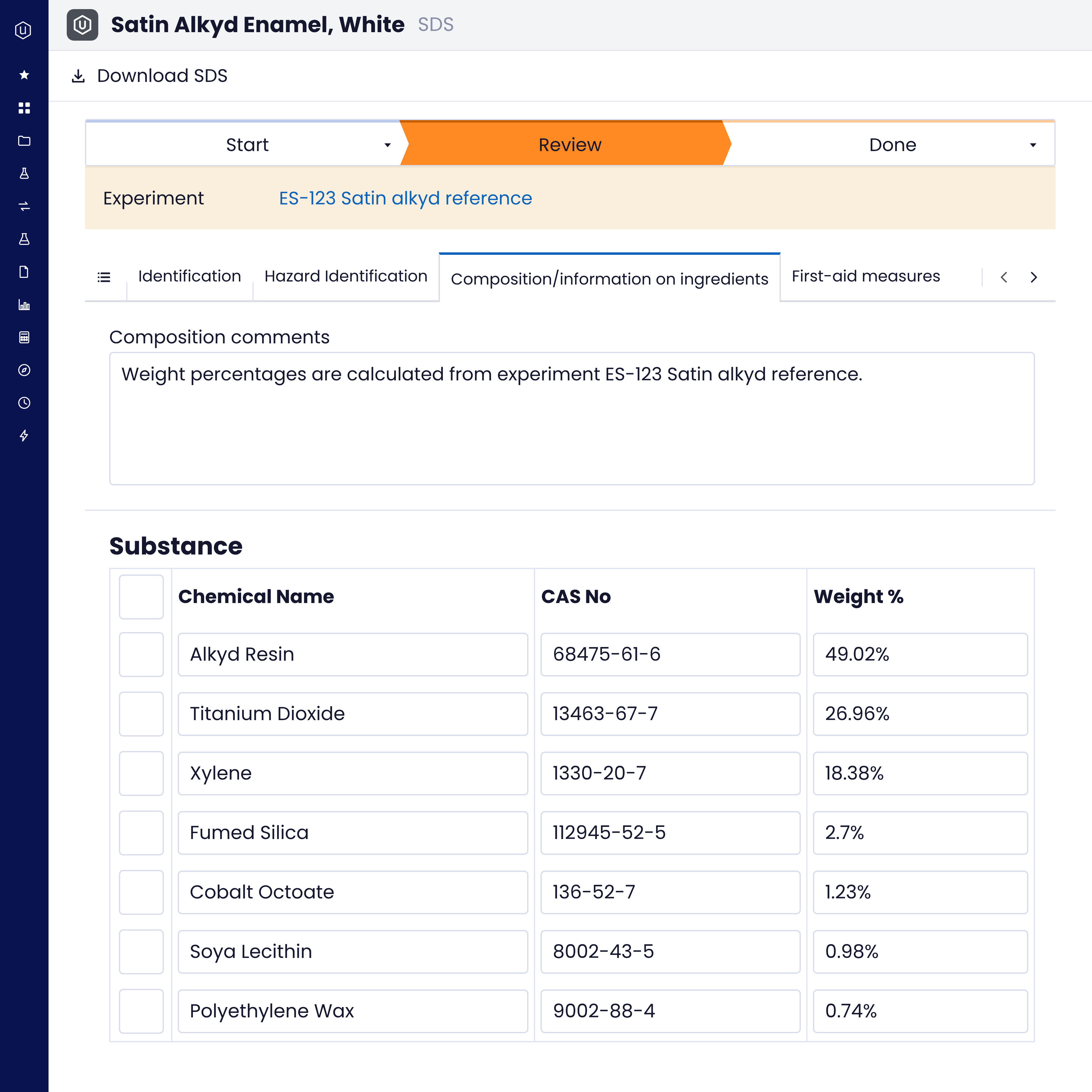
Section by section: Identification, hazard identification, composition and information on ingredients, first-aid measures and the rest of the sheet, each on its own tab.
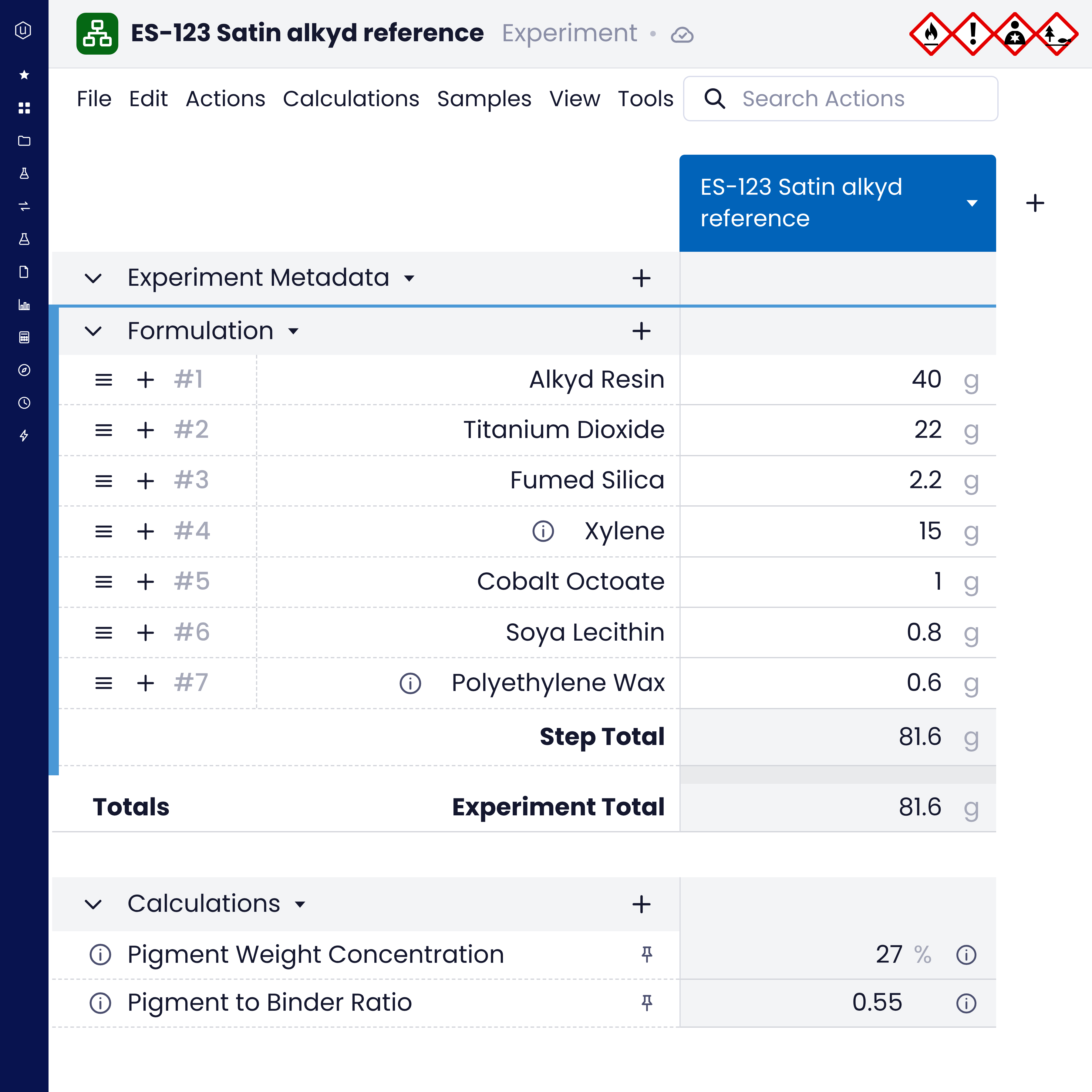
Tied to the work: Each SDS points back to its experiment, so reviewers know exactly which formulation it describes.
Hazards, itemized: Physical, health, environmental and OSHA hazards each get a dedicated field.
Download in one click: The finished sheet exports as a PDF straight from the platform.
When a customer asks for the SDS, you can see which experiment it came from before you hit send.
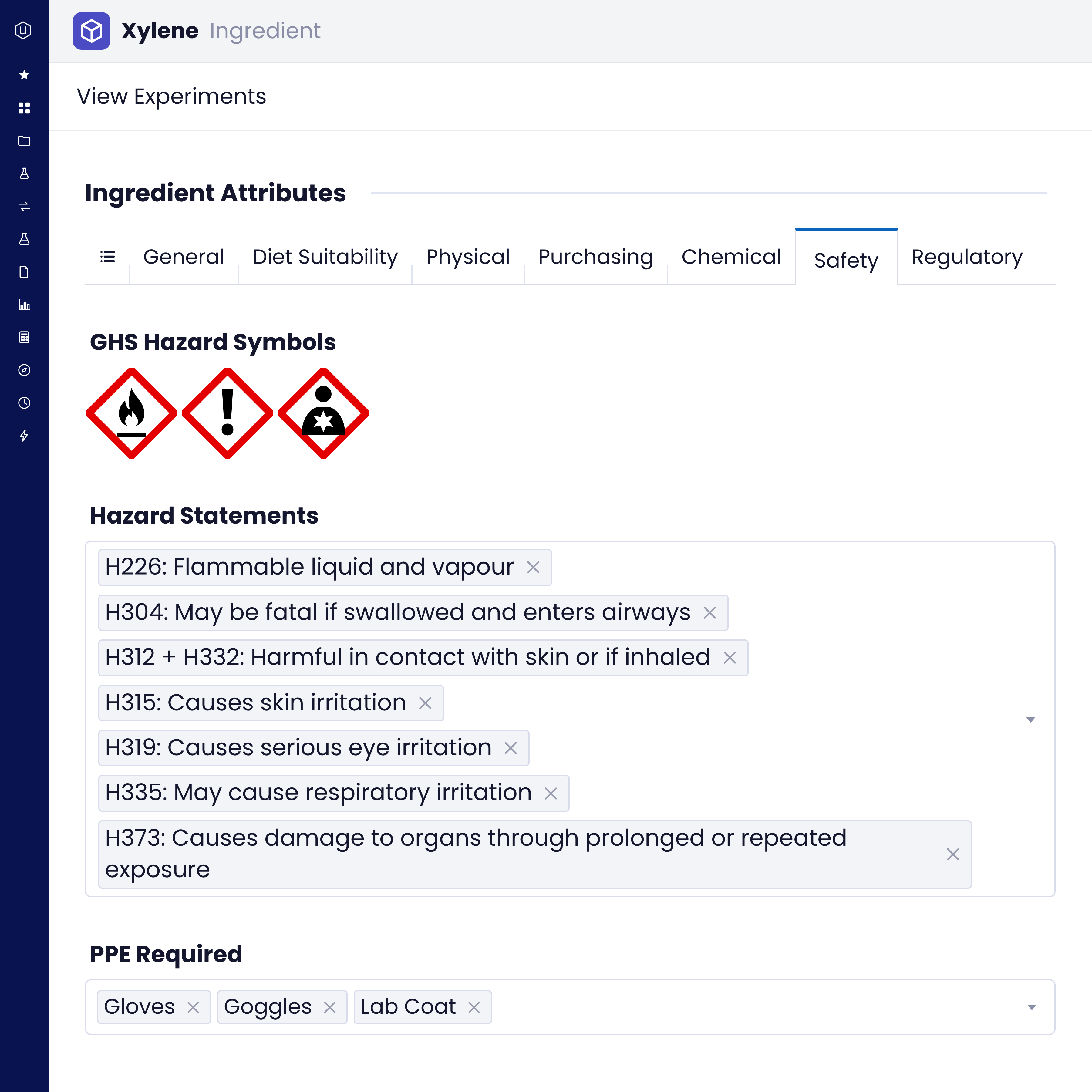
GHS pictograms come from the chemical data, so hazard symbols appear wherever they apply, not just on the final sheet.
1. Capture the symbols
Chemical data stores its GHS symbols, and Uncountable renders the matching hazard pictograms.
2. Show them in context
Pictograms appear on the chemical data wherever they are present, so scientists see hazards at the bench, not only on paper.
3. Set display rules
Mark any recipe field so its values display as GHS pictograms, and hazards read the same way everywhere.
4. Review and release
Move the SDS from start to review to done, then download the PDF.
No more hunting for the right pictogram file. The hazard symbol travels with the chemical.
SDS authoring runs on the same AI-native platform as the rest of your R&D, configured to your workflows:
- ELN: Experiments and notebooks that each SDS links back to.
- LIMS for R&D: Test results stored next to the formulation that produced them.
- LIMS for Quality: Quality records connected to the materials they cover.
- Regulatory lists: Lists such as OSHA-regulated chemicals, matched to materials by CAS number.
- Hazard reports: Templates that combine quantity, location and GHS safety information, exported as PDF, CSV or XLSX on a schedule.
- Bodie: Ask Bodie, Uncountable's AI agent, from inside a notebook when generative AI is enabled.
- Integrations: 400+ lab instruments, a REST API and a Python SDK.
Hazard data entered once in R&D feeds the safety data sheet, the hazard report and the quality team.
We configure SDS authoring around the sections, review steps and sign-offs you already use, and support you from kickoff onward.
Dedicated expertise: A team with R&D domain knowledge guides the rollout, not just software support.
Light internal lift: Configured to your existing SDS format and approval chain.
Guided, staged implementation: Kickoff, configuration, testing, go-live and hypercare, led by Uncountable.
Lower total cost of ownership: One platform replaces a standalone SDS tool that never saw the formulation.
Your current SDS process keeps running while it moves onto the platform, so go-live is a switch, not a restart.
Formula first.
SDS right behind it.
Open the SDS beside the experiment it covers. GHS symbols arrive with the chemical data, fields can display as pictograms, and the sheet goes through review before anyone downloads it.
The old way
The Uncountable way
Where SDS authoring shows up
Start the SDS beside the experiment instead of a blank template.
See which safety data sheet belongs to which experiment before it goes out.
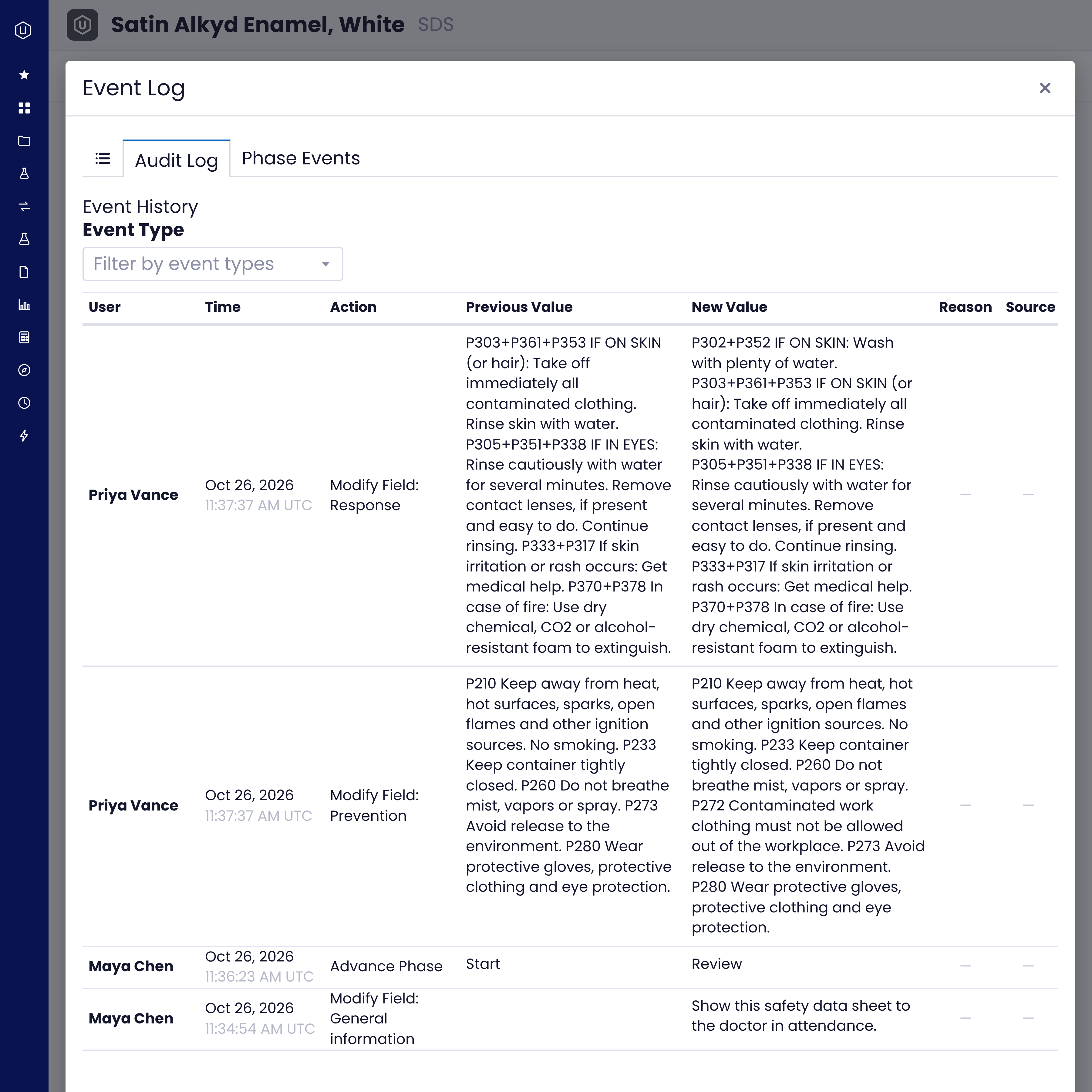
Review happens on the platform, with every edit audited, not across a chain of emails.
Download the PDF from the platform instead of digging through shared drives.
GHS pictograms sit on the chemical data, visible while the work happens.
Scheduled reports pull quantity, location and GHS data into PDF, CSV or XLSX.
Write the SDS from the source, not a copy.
Draft safety data sheets beside the experiment, show GHS pictograms from chemical data and sign off on the platform. What reaches your customers starts from the work your team actually did.
FAQs
SDS authoring software helps teams create safety data sheets in the GHS format. In Uncountable, SDS authoring sits inside the R&D platform: each sheet is organized by section, linked to the experiment it covers, reviewed on the platform and exported as a PDF.
Under GHS, a safety data sheet has 16 sections: identification; hazard identification; composition and information on ingredients; first-aid measures; fire-fighting measures; accidental release measures; handling and storage; exposure controls and personal protection; physical and chemical properties; stability and reactivity; toxicological information; ecological information; disposal considerations; transport information; regulatory information; and other information. Uncountable organizes each SDS by section, with its own tab for each.
Chemical data stores GHS symbols and renders the matching hazard pictograms whenever they are present. Recipe fields can also be set to display their values as GHS pictograms, so hazards look the same across the platform.
Yes. Regulatory lists, such as OSHA-regulated chemicals, are kept in Uncountable as versioned reference data and matched to materials by CAS number from their components. Hazard fields live on the material and flow into scheduled hazard reports.
R&D leaders who own the product development workflow, product safety leads who sign off on safety data, and the formulation scientists and R&D operations teams who capture hazard data every day.
Your next SDS starts at the bench.
