AI that acts, not just chats
Bodie sits in the sidebar of every page, grounded in your project's own data. Ask it a question in plain language, and it doesn't just answer: it edits records, creates records, builds designed experiments, and drafts notebook entries.
Deployed by 175+ enterprise product development teams







Deployed by Enterprise R&D and Innovation Teams



One assistant, grounded in every suite
Bodie is not a separate product. It reads and writes the same structured record as R&D, Quality, Product Lifecycle, and Project Management, so it can act on whichever suite you're working in.
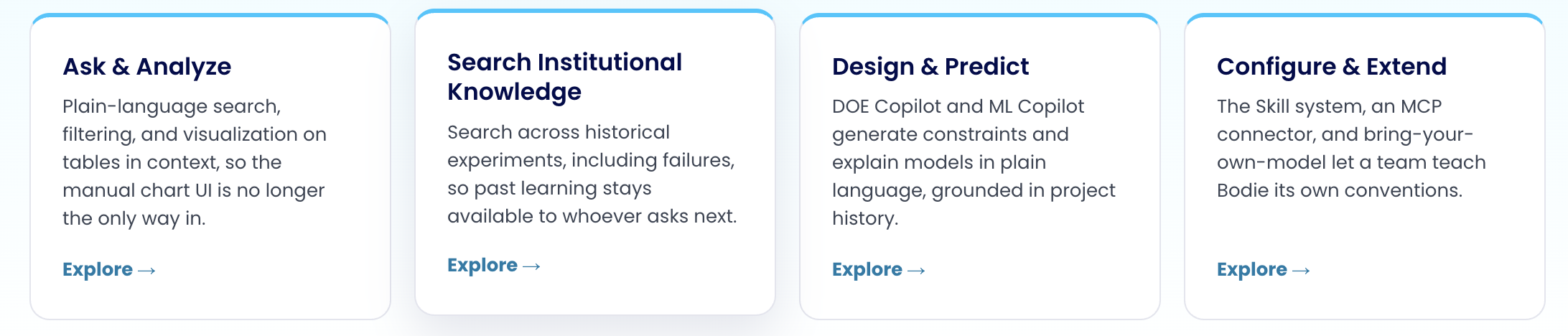
Accelerate formulation development
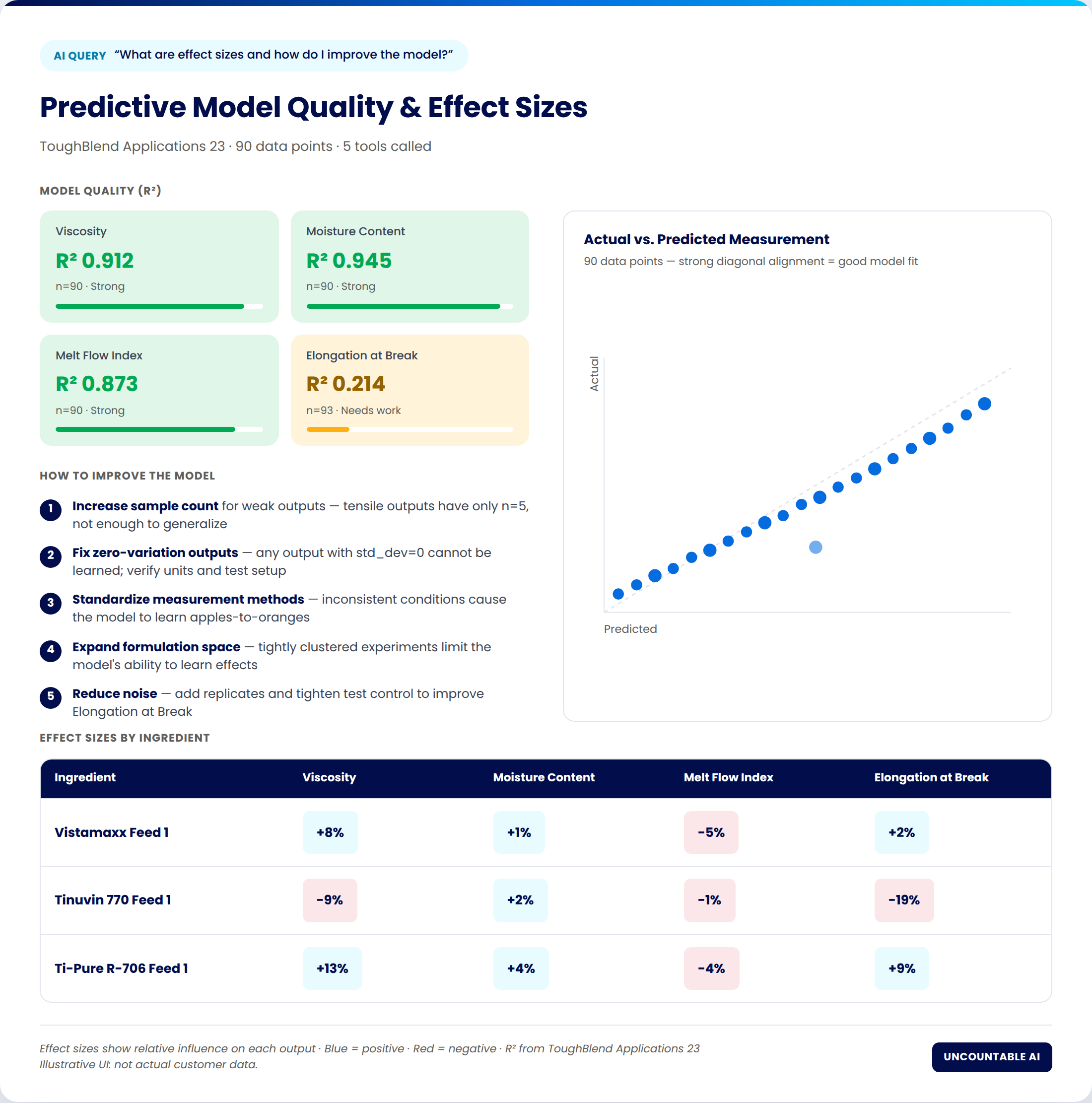
Uncountable's machine learning engine, now guided in plain language by Bodie. Ask a question about a predictive model in progress, and Bodie explains what the effect sizes mean and where the model still needs more data, in the same conversation where you asked the question.
Build models in natural language
Describe the outputs you're modeling; Bodie guides model setup instead of leaving you in a configuration screen.
Interpret results instantly
Ask what an R² means or which ingredient is driving an effect, and get a plain-language answer with the chart behind it.
Generate formulations against a target
Aim the model at a performance target and review candidate formulations it proposes, grounded in the same project history.
A closer look at each stage
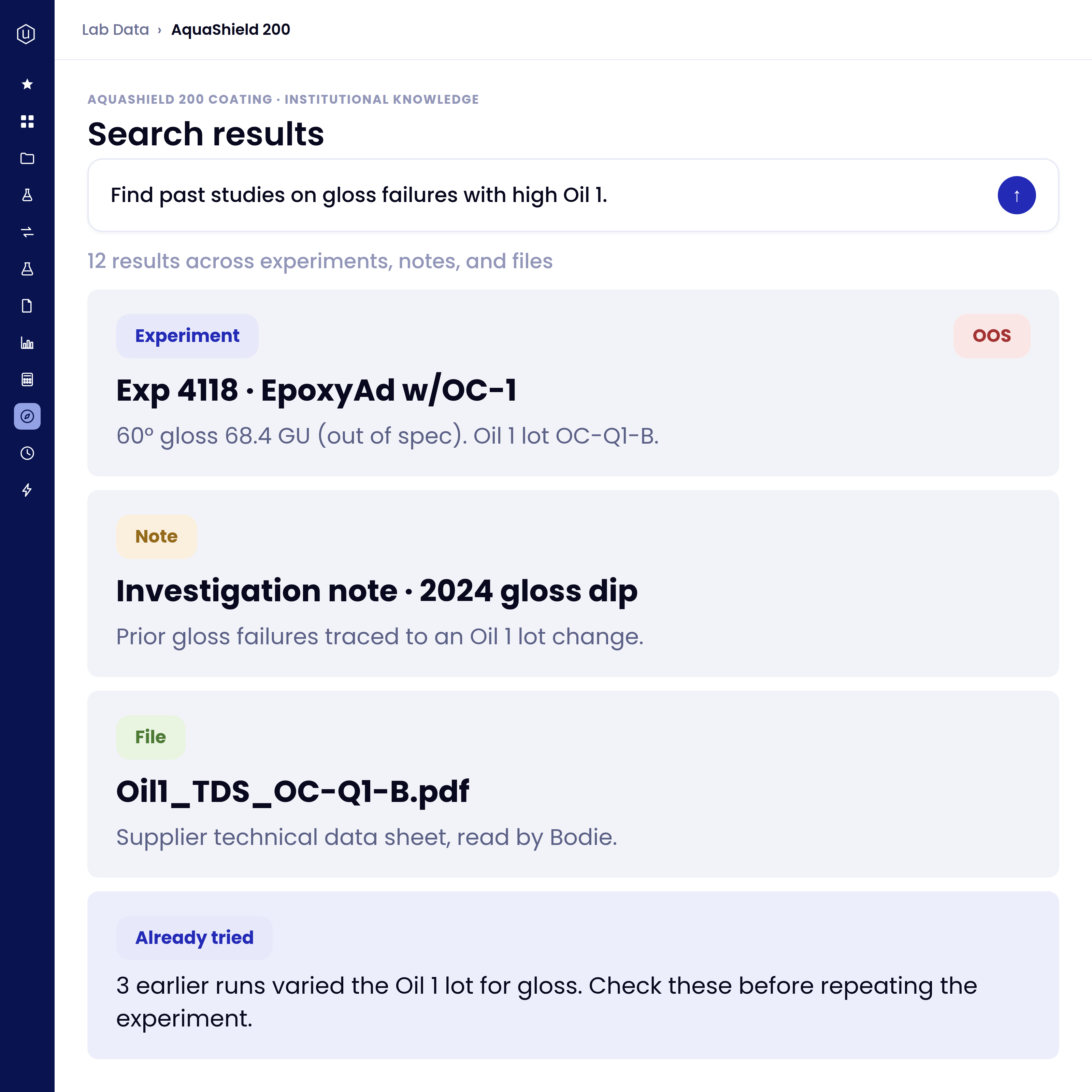
Ask in plain language, and Bodie searches every past result, note, and file, including the failures, comparing full documents rather than matching keywords.
Search your institutional knowledge: Reads and compares full documents rather than matching keywords, so the answer draws on what actually happened, not just a filename.
Already-tried warnings: Bodie surfaces prior runs that overlap with what you're about to try, so you catch a repeat before you spend the bench time.
Reads the files you upload: PDFs, DOCX, Excel, and markdown are indexed automatically on upload, ready to search or read in full on request.
The answer isn't a link to a document. It's what's actually inside it.
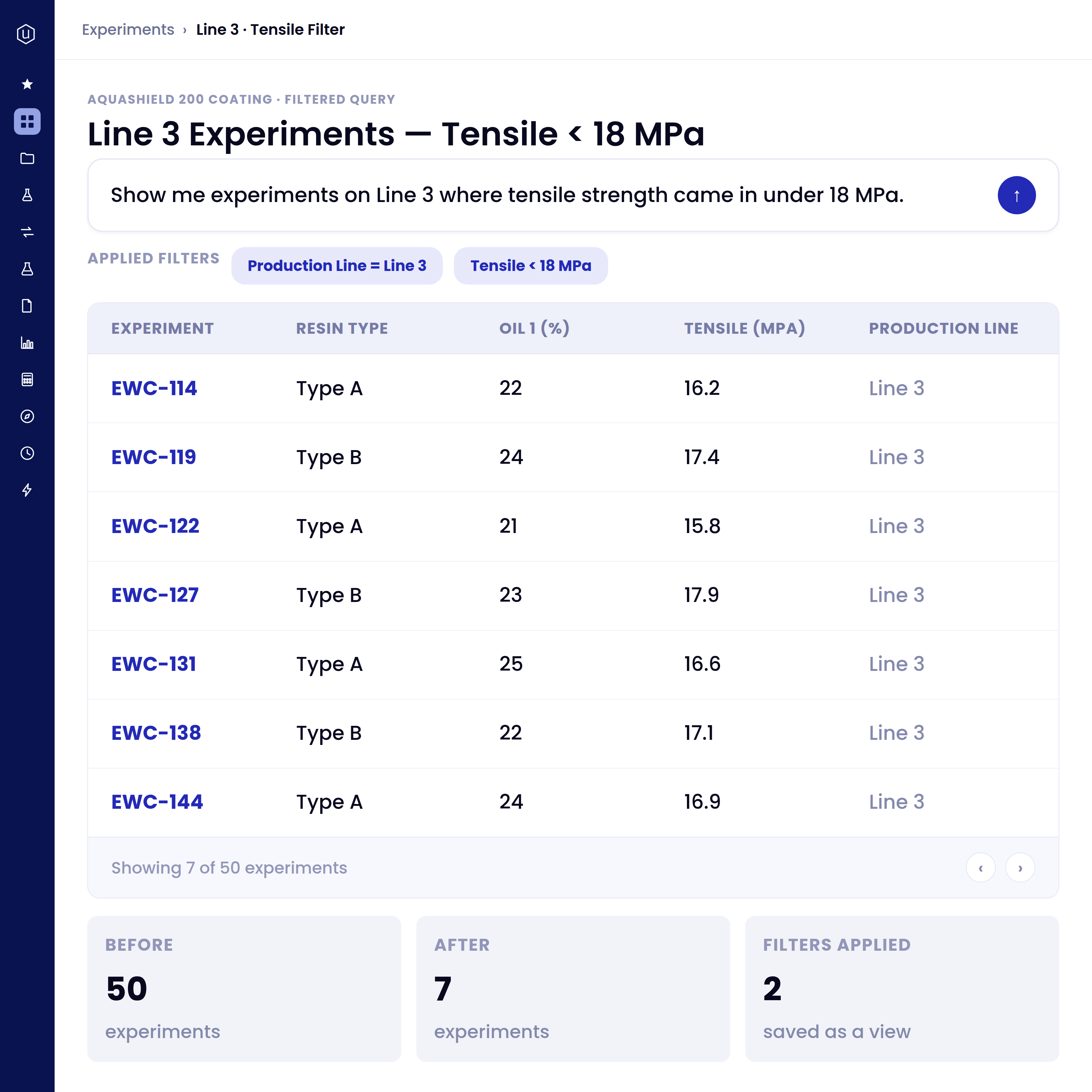
Describe the slice you want and Bodie applies multiple filters at once, then leaves you a real, editable listing, not a static snapshot.
Filter in plain language: Describe the slice you want and Bodie applies multiple filters at once, no query builder required.
Sort and add columns: Reshape any listing, experiments, ingredients, lab requests, and more, from a single prompt.
Saves the view back to the project: A filtered listing can be saved as its own explore view, so the next person to open the project starts from where you left off.
No query builder. No IT ticket. Just describe the slice you want.
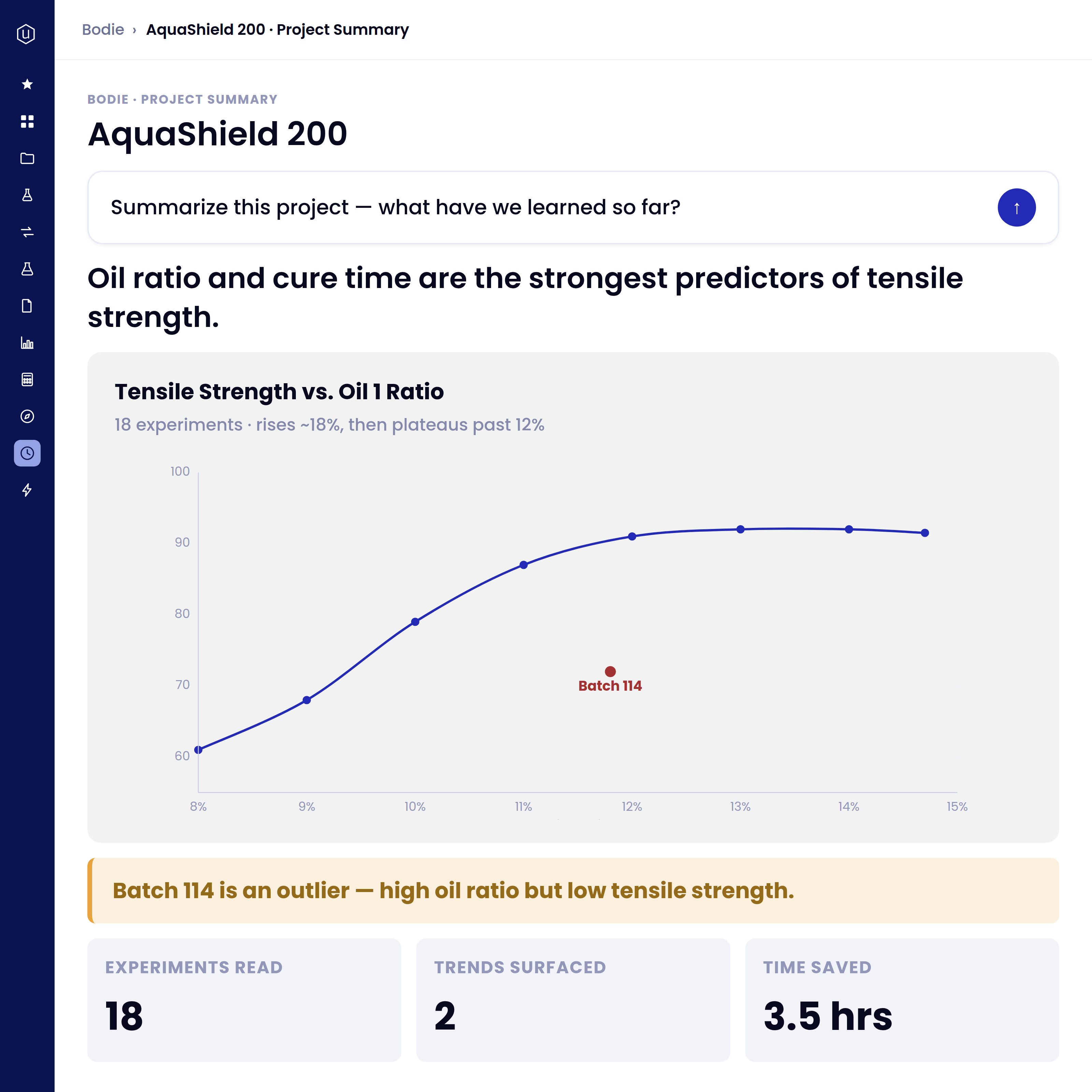
Ask for a chart and Bodie picks the axes and coloring, builds it, and saves it to the project, or turns a whole set of experiments into a written summary in one prompt.
Plot from plain language: Ask for a chart and Bodie picks the axes and coloring, builds it, and saves it to the project.
Summarize a project in one prompt: Turn a whole set of experiments into key insights, plots, and tables, written up in a notebook.
Restyle without the chart editor: Ask Bodie to change the chart type, recolor a series, or relabel an axis, in the same conversation.
Hours of analysis, down to one prompt.
Trust in an answer starts with being able to see what produced it.
Shows exactly what was sent: A data-transparency page shows the fields and records sent to the model for that session, not a black box.
Every cell traces back: In a generated whiteboard, any cell can be inspected to see the underlying data behind it.
No model vendor shown: The session view discloses what was sent, without naming which underlying model answered it.
Write the process once. Bodie runs it the same way, every time.
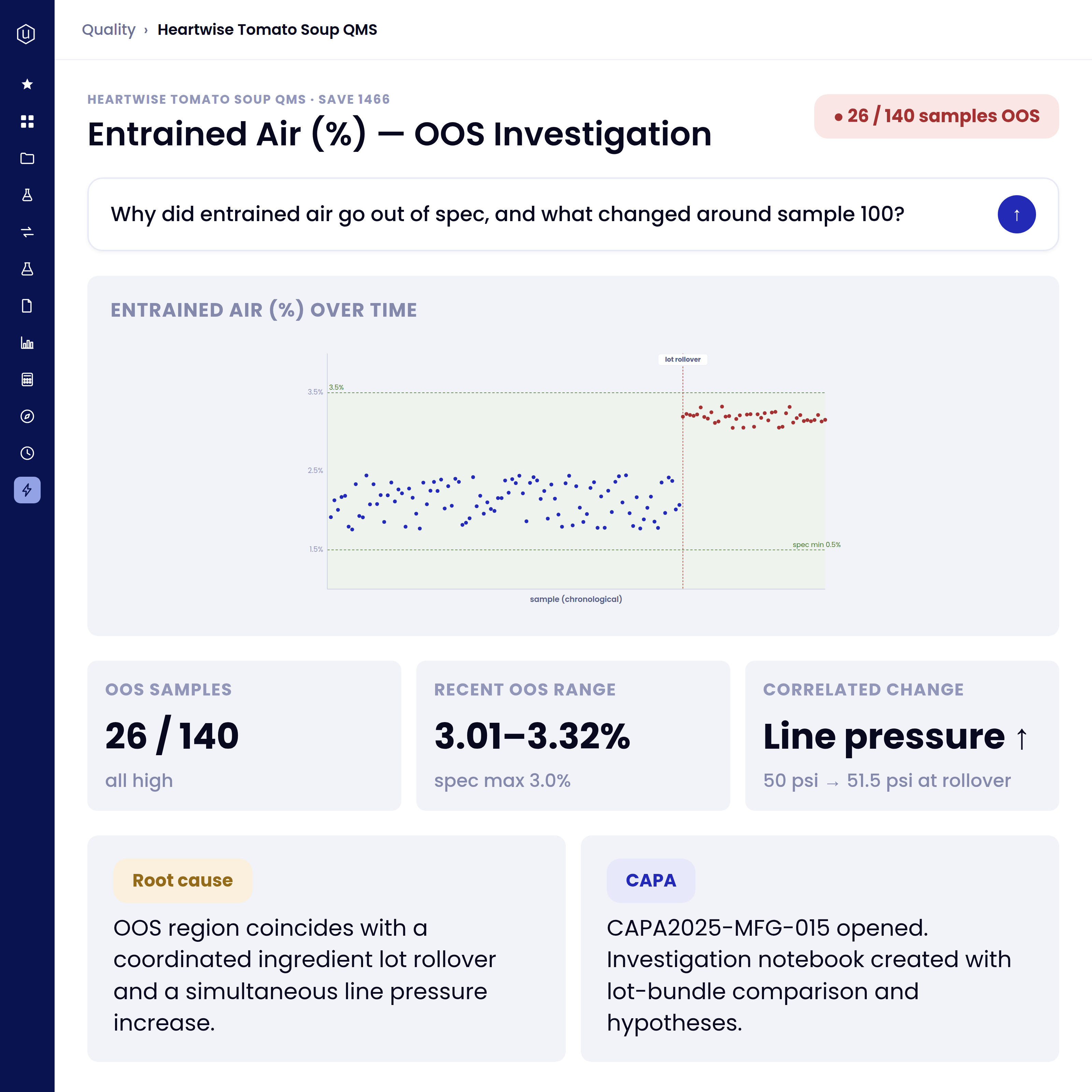
Point Bodie at an out-of-spec result and it samples related recipes across the project, a live investigation can span 100+ recipes, and surfaces what changed and why.
Diagnose root cause in minutes: Bodie samples related recipes across the project and surfaces what changed and why.
Correlated changes, not just charts: Bodie ties the drift to what moved alongside it, an ingredient lot rollover, a line-pressure change, and opens the CAPA with that context attached.
Catches drift as it happens: Live SPC flags a result the moment it's entered, so an investigation starts on the day it happened, not at the next review.
One out-of-spec result, sampled against a hundred others, in minutes.
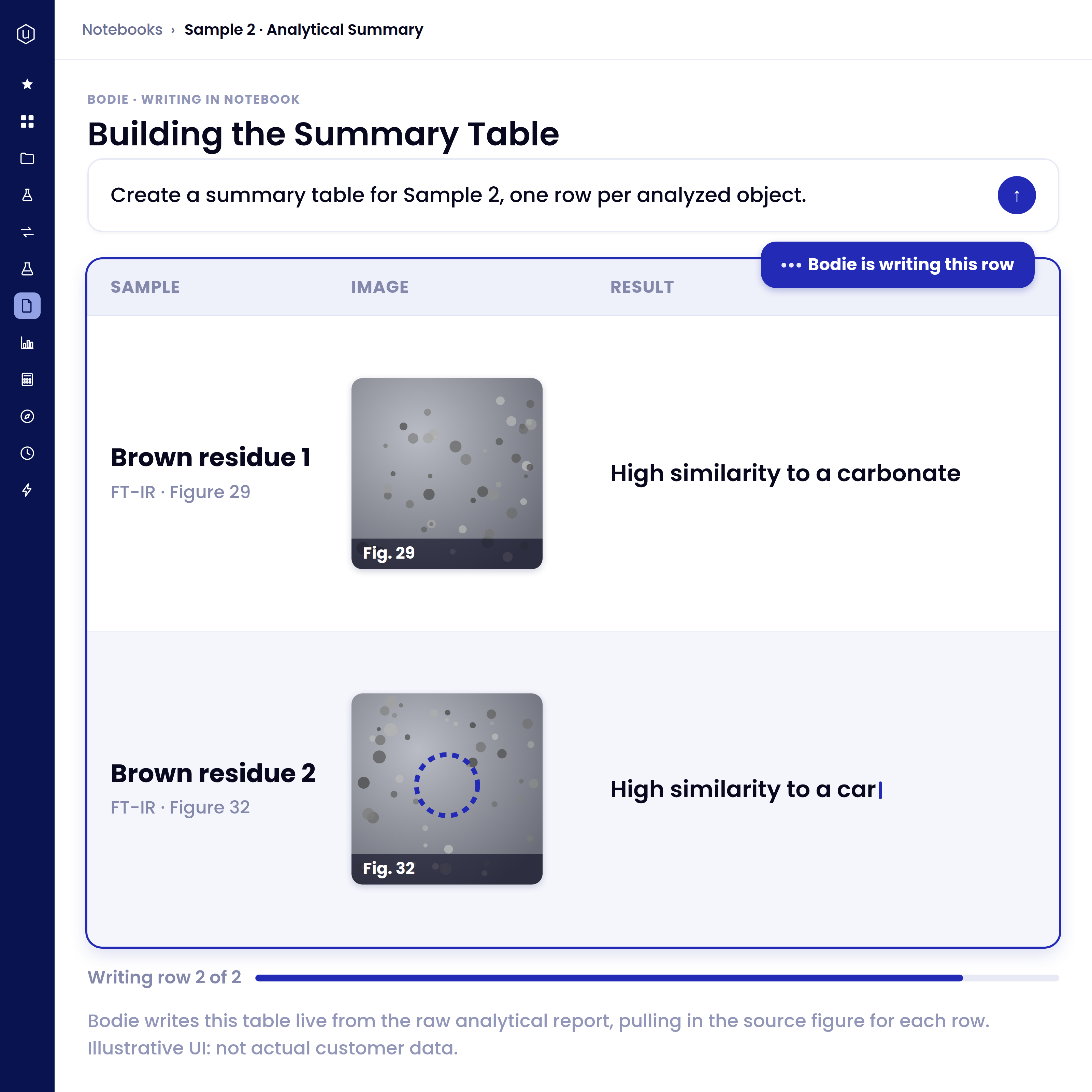
Hand over a bill of materials or a supplier spec and Bodie creates the ingredient records and starting recipe for you, so onboarding starts from a real BOM instead of a blank page.
Document parsing (SDS/TDS): Parse a supplier spec or safety data sheet to pull ingredient fields into structured data before Bodie analyzes it.
Builds a starting BOM from your upload: Hand over a bill of materials or a supplier spec and Bodie creates the ingredient records and starting recipe for you.
Maps to your schema: Extracted fields land on the right ingredient properties and identifiers in your platform, not a generic spreadsheet import.
Onboarding starts from a real bill of materials, not a blank page.
Where Bodie shows up
Bodie reads and writes the same record as every suite, so it behaves differently depending on where you ask it.
Meet Bodie
Your data’s already in the platform. Bodie is the layer that makes it conversational. Bodie is designed to make search, analysis, and reporting easier and more automated across your work. Ask it to find an experiment, summarize a project, generate a visualization, or write up a notebook, and it does it, right in the platform.
What our teams say about Bodie
Head of Department R&D Tinting, Remmers
Scientific Informatics Consultant, Arsenale Bioyards


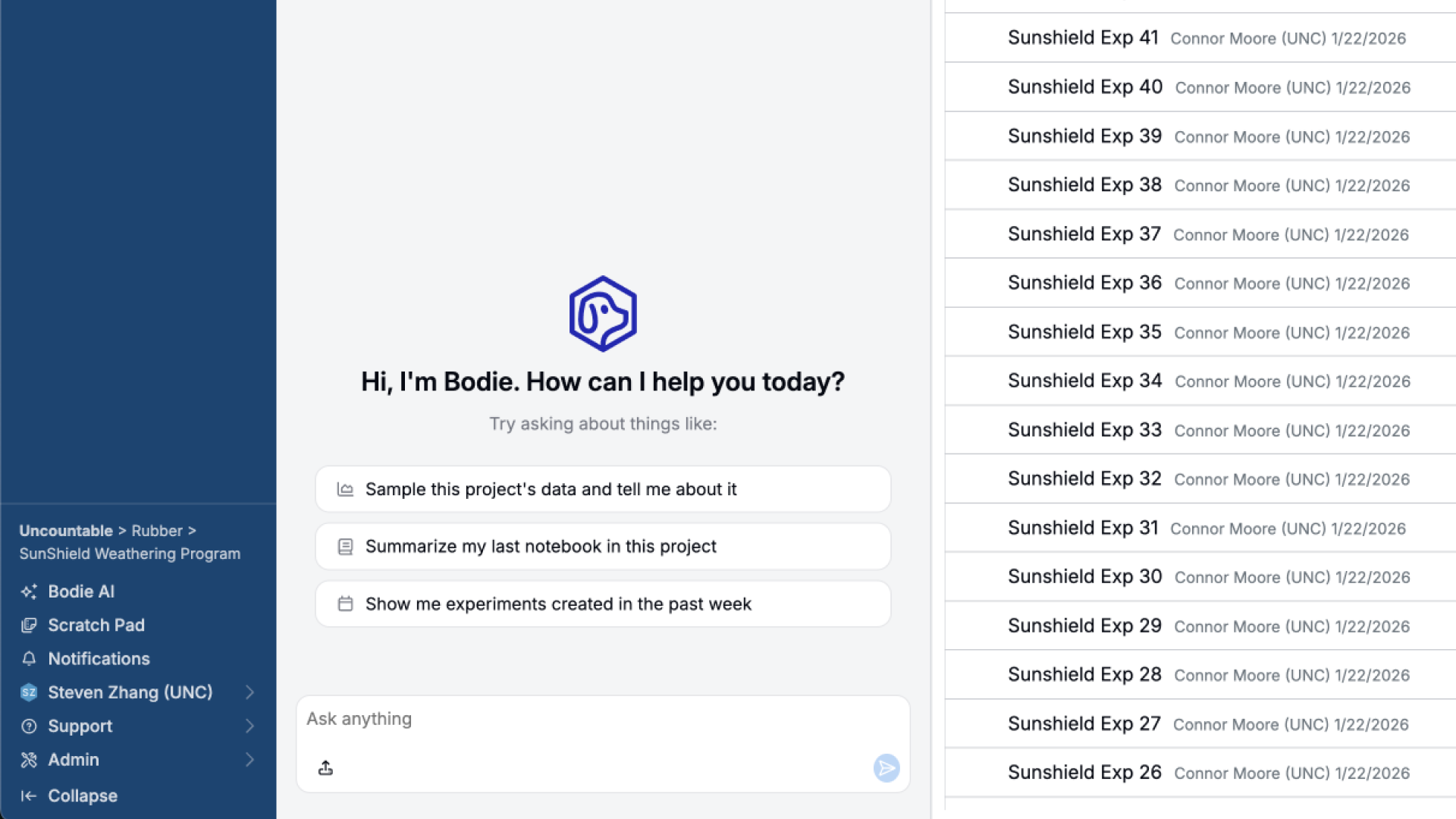
An assistant that only talks is just another search bar.
Bodie is built into the sidebar of every page, grounded in your own project data. Ask it a question and it can also act: editing records, creating records, and drafting the next experiment, not just describing what to do next.
FAQs
Bodie is Uncountable's AI assistant, built into the sidebar of every page. It is grounded in your project's structured data and works across the R&D, Quality, and Product Lifecycle suites. Bodie is available with the Gen AI module.
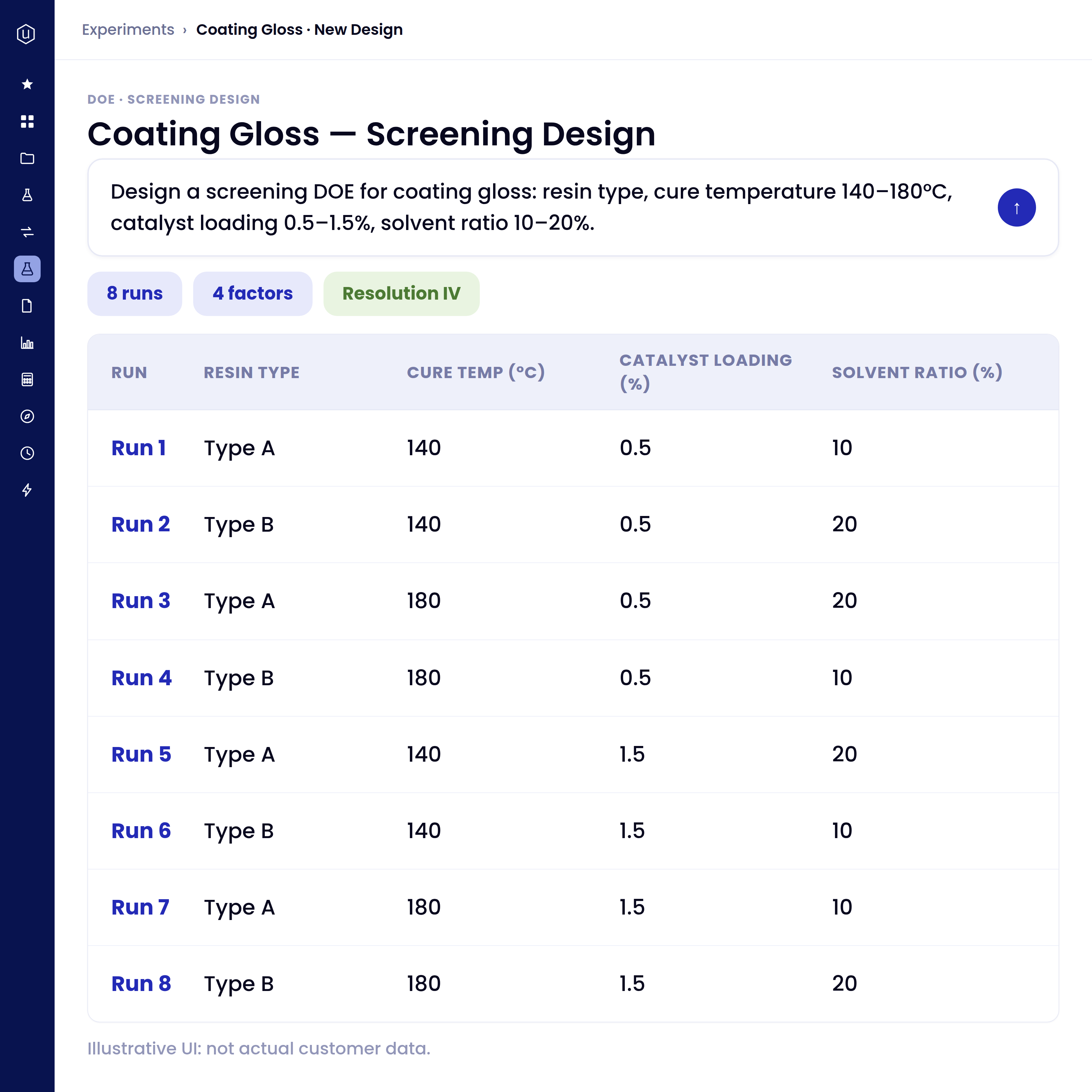
It acts. Beyond answering questions, Bodie edits and creates records, builds designed experiments, drafts notebooks, plots and summarizes from a prompt, and runs searches, all as real actions on your data rather than open-ended chat.
Bodie works on your own project's structured records, files, and past experiments, including the failures. It is grounded in your connected data, which is why the answers and actions are specific to your work rather than generic.
No. Your data is isolated per customer, encrypted, and never used to train foundation models. Bodie can show exactly what is sent for each AI session, so you can see how your data is used.
Today Bodie handles institutional-knowledge search, plain-language filtering and plotting, one-prompt project summaries, root-cause diagnosis across many recipes, document parsing, building a starting BOM from an uploaded bill of materials, the DOE Copilot, and reusable Skills. Capabilities expand over time; talk to us about what is live for your setup.