Inventory, wired into the formula
Raw materials, in-process samples, and finished goods tracked in real time, down to the building, room, and shelf, linked to the formula and experiment that use them. Not a separate spreadsheet reconciled by hand after the fact.
Deployed by 175+ enterprise product development teams








Deployed by Enterprise R&D and Innovation Teams



One platform.
Inventory and formula, in sync.
Every lot your team logs lives on the same platform as the formulas and experiments that use it. Run an experiment and the count updates with it; no second spreadsheet, no end-of-day reconciliation.
The old way
The Uncountable way
Raw material in, released formula out
Every lot and material is tracked as one connected picture: quantity on hand in configurable units, location down to the shelf, and full history, searchable instead of remembered.
Real-time levels across every location: Every addition, consumption, and relocation is logged and reflected immediately, not a periodic recount someone has to schedule.
Down to the shelf: Building, room, shelf: Know where a lot physically sits, not just that it exists somewhere in the lab.
Searchable across labs, sites, and projects: Find a material by name, lot, or location instead of asking around, whether it's on the next bench or a different site.
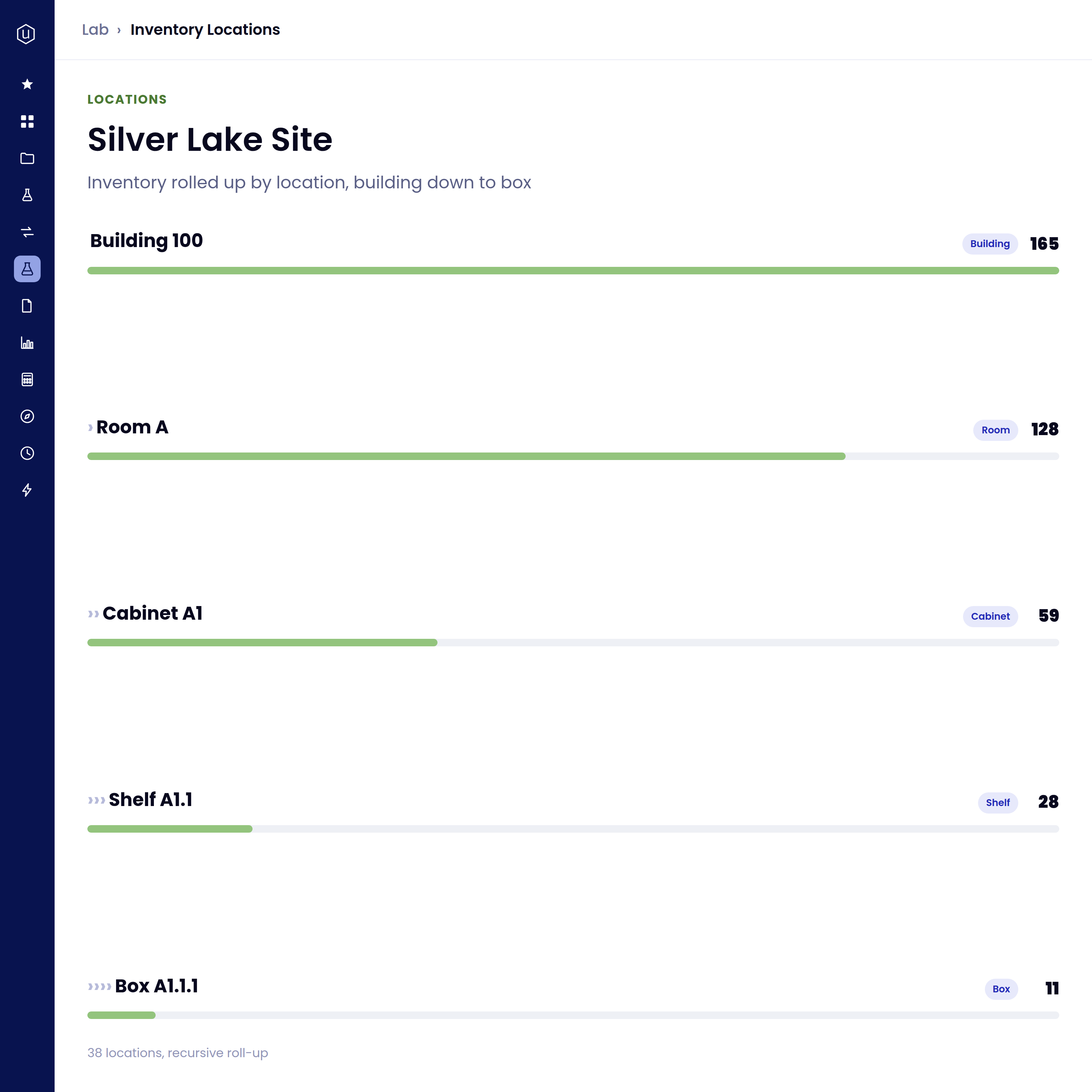
Inventory isn't a separate system cross-referenced by hand. It's linked to the same material the formula and the experiment already point to.
a
One material, connected across the platform: The raw-material record a formula draws on is linked to its on-hand quantity and history, not a separate system kept in sync by hand.
The effect of a change, traced through every formula: Not an automatic flag: a supplier or spec change on a material doesn't trigger a notification. But because each formula is connected to the raw-material record it draws on, the effect of that change can be traced through every recipe that uses it, via the reverse lookup.
Usage tagged to the work that consumed it: Consumption is tagged to the exact recipe line that used it, whether it's logged through a manual decrement action, the stocked-workflow flow, or a configured trigger, not automatic on every experiment log by default.
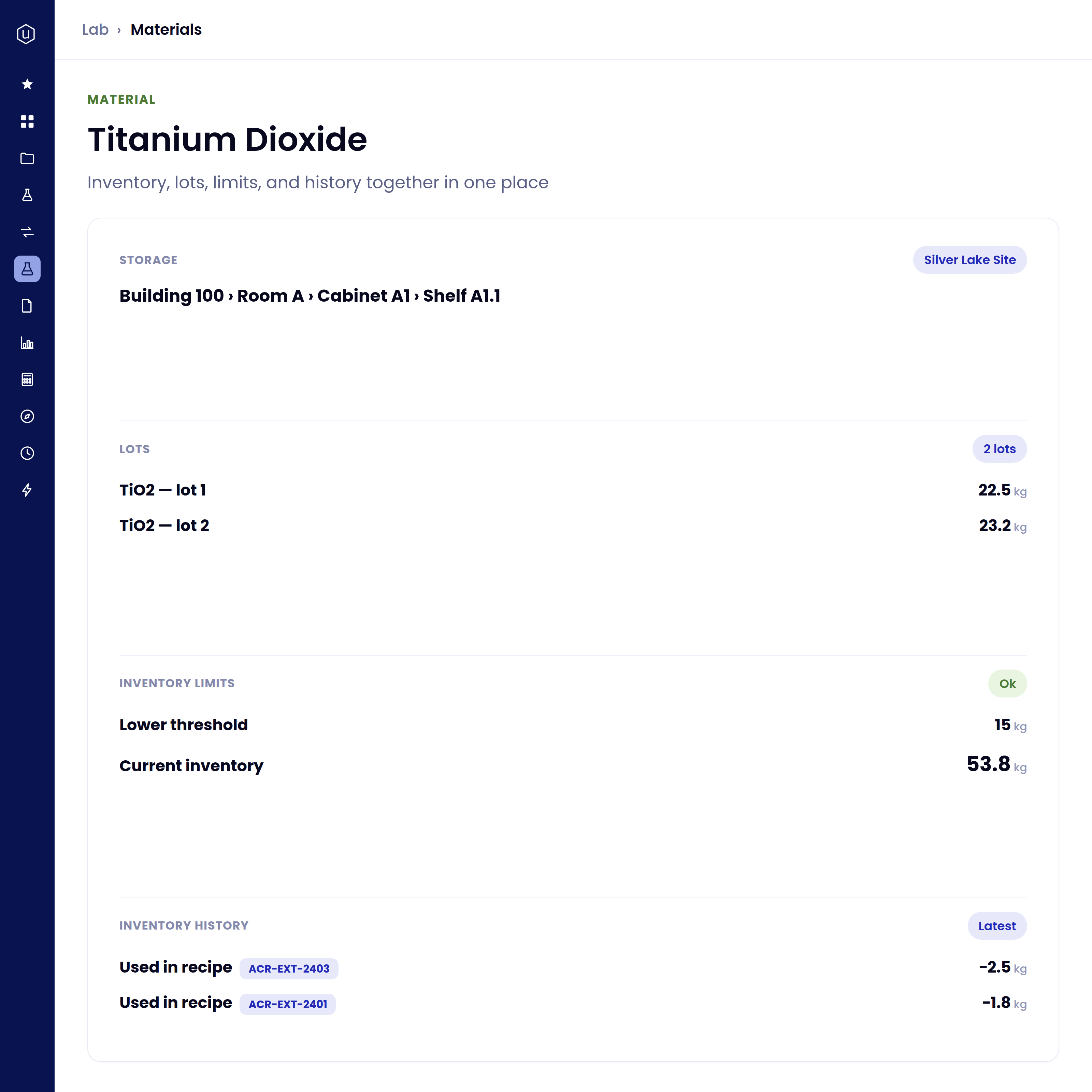
Inventory doesn't stop at "how much is on hand right now." Every change is logged, configurable limits catch a shortage before it stalls a run, and the history makes the next purchasing or audit question easy to answer.
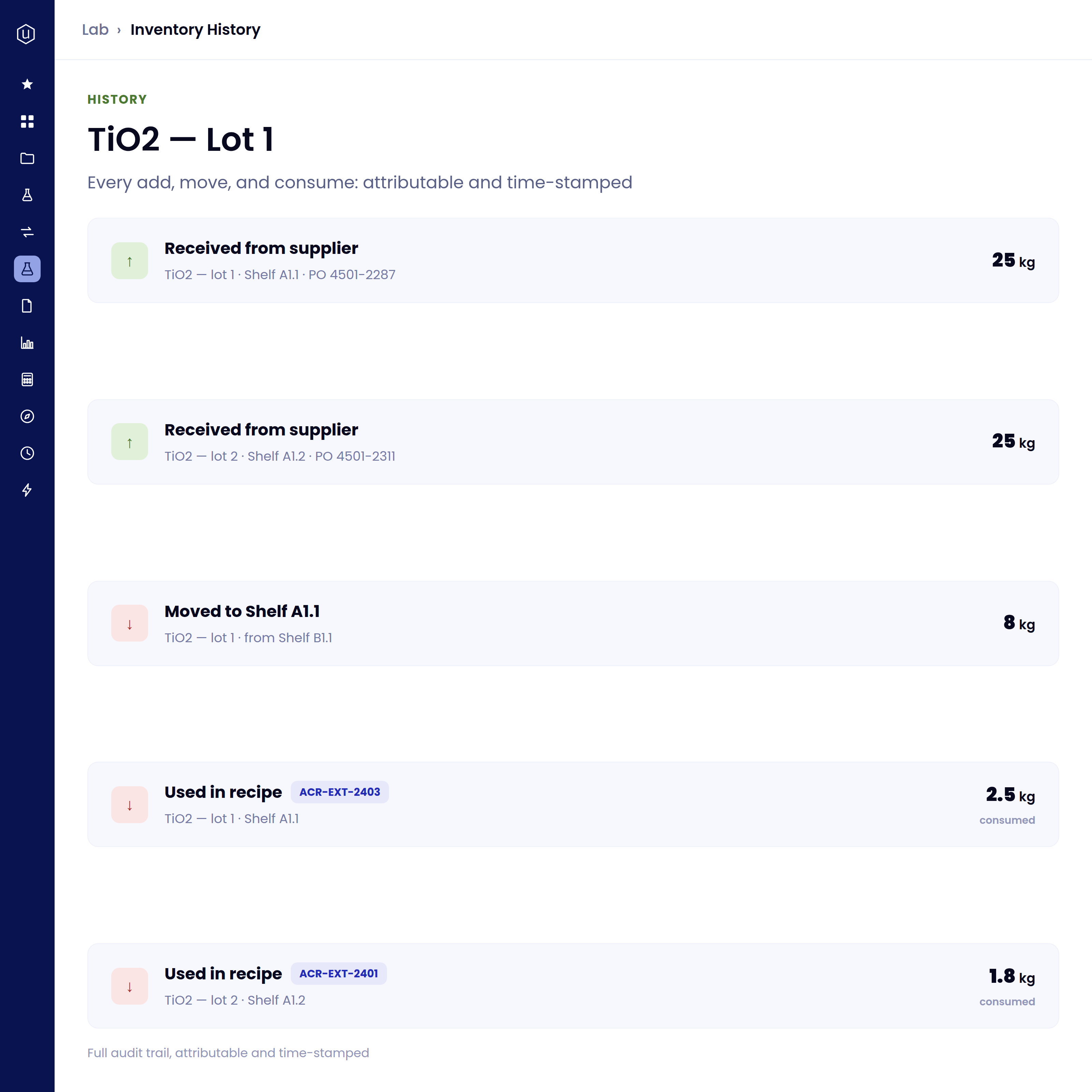
Full audit trail of every transaction: Every addition, consumption, and relocation logged as it happens, attributable and time-stamped, not reconstructed after the fact.
Low-stock and overstock limits, with a violations listing: Set an upper or lower quantity threshold on a material and a location; moving past either marks a violation you can check on a listing, not a proactive push alert. Each lot also carries an expiration date on its record, visible alongside the quantity, though expiration itself isn't yet a configurable limit.
Historical price and supplier data preserved: See what a lot cost and who supplied it without digging through old purchase orders or a colleague's inbox.
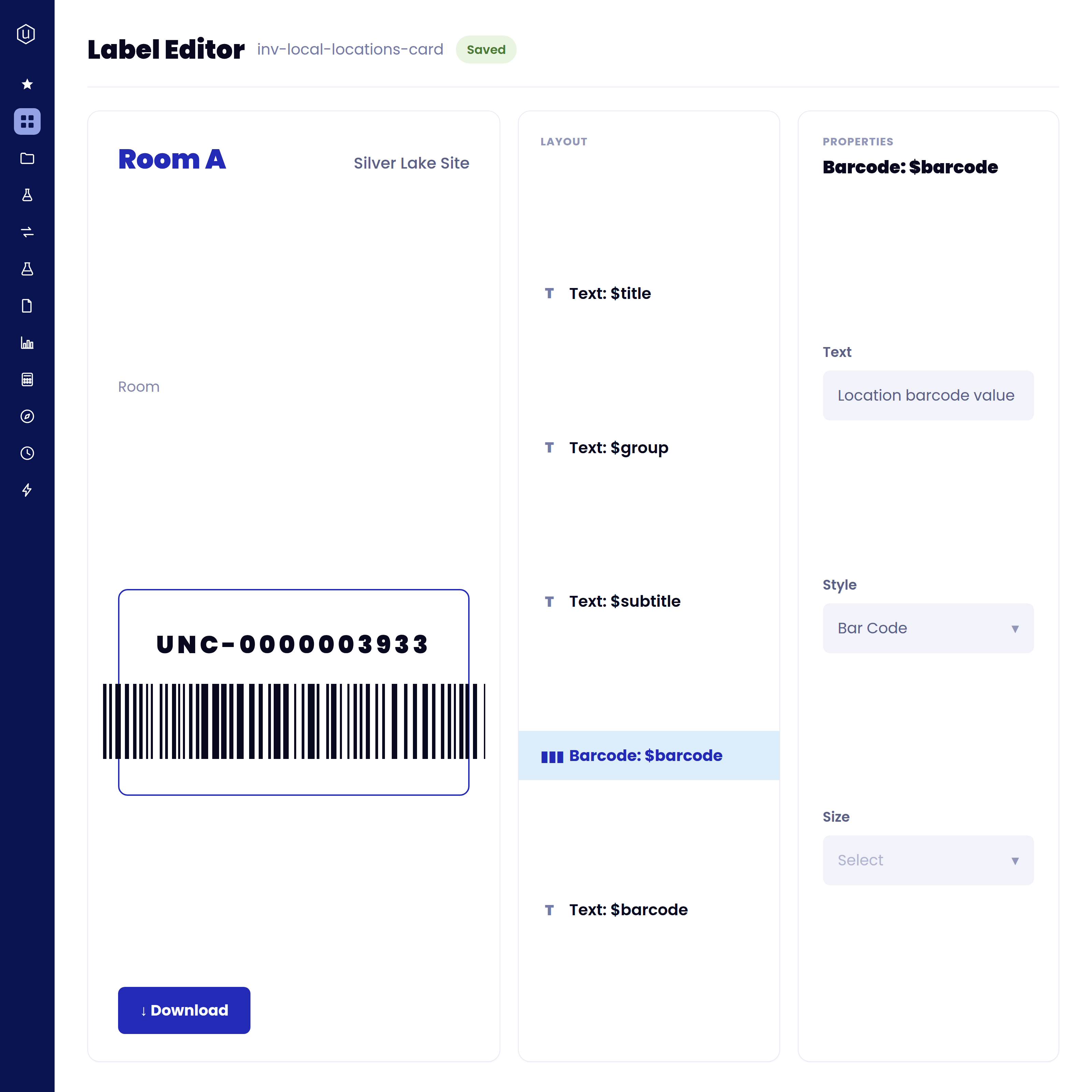
Every lot can carry a barcode, generated from a builder native to the platform, so moving, splitting, or archiving inventory is a scan away instead of a manual lookup.
A built-in barcode label builder: Design a barcode label for a lot or a location, choosing a Code128 or QR style, from the same platform that tracks it, not a separate labeling system kept in sync by hand.
Move by scanning the item, then the destination: Scan a lot, then scan a location, and the move is logged automatically: faster and less error-prone than a manual location update.
Split and archive from the same scan-based flow: Divide a lot into new sub-lots or archive it out of active inventory without leaving the scanning workflow.
What's under the hood
Connected inventory, in action
Know exactly how much of a raw material is on hand, and where it physically sits, before committing to a larger run.
A lot sitting on a shelf at one location is visible to a formulator working at another, instead of a phone call to check.
An auditor asking for the full chain of custody, receipt to consumption to disposal, answered from the logged transaction history, not reconstructed by hand.
The effect of a supplier or spec change can be traced through every formula that used the material it replaced, via the reverse lookup, rather than tracked down by hand.
Historical pricing on the material record itself, instead of digging through old purchase orders to answer a budget question.
A configured low-stock limit marks a violation you can check on a listing, ahead of a formulator discovering the shortage mid-experiment.


Connected by default, not by cleanup.
Real-time levels down to the shelf, linked to the formula and experiment that consume them, with pricing and audit history to back up the next purchasing or audit question, and configurable limits to catch a shortage before it stalls a run.
FAQs
Inventory is linked to the same material the formula and experiment already point to, on one connected platform, not a separate system reconciled by hand. A supplier or spec change doesn't trigger an automatic flag, but its effect can be traced through every formula that uses it, via the reverse lookup.
Not by default. Consumption is tagged to the exact recipe line that used it, but the deduction itself happens through a manual "Decrement Inventory" action, the stocked-workflow flow, or a configured trigger, not automatically on every experiment log. Confirm what's configured for your instance with your account team.
Yes. Locations nest to any depth you configure, building, room, and shelf is a common pattern, though the location types themselves (freezer, bench, and similar) are configured per customer rather than fixed labels the product ships with. Either way, each lot's location is searchable rather than something you have to remember or look up on a paper label.
Materials and their locations are tracked on the same connected platform regardless of site, so a formulator at one location can see what's on hand at another. Confirm the specific multi-site configuration for your organization with your account team.
Yes. A lot can carry a barcode, including one generated through a built-in barcode builder, so moving or splitting inventory is a scan of the item plus a scan of the destination rather than a manual lookup. Confirm the exact scanning workflows configured for your instance with your account team.
See it run on your own Inventory.