Decide which projects to back, using your whole portfolio.
Ask Bodie where to invest next. It reads your live project records, ranks the options against the criteria your team already reviews, and adds market trends only when you approve a search. Bodie does the analysis. Your team still makes the call.
Deployed by 175+ enterprise product development teams







Deployed by Enterprise R&D and Innovation Teams



You have more good ideas than budget to fund them.
Every gate review comes back to the same question: which projects get the next round of time and money? The answer is in your project history, including which projects made it to launch, which business units are thin and which technical approaches keep paying off. But pulling it together usually means an analyst rolling up spreadsheets into a deck, and by the meeting part of it is out of date.
Project Ideation puts that analysis one question away. Bodie works from the same structured project records your team uses for stage gates and portfolio dashboards, and shows the projects and reasoning behind every answer.
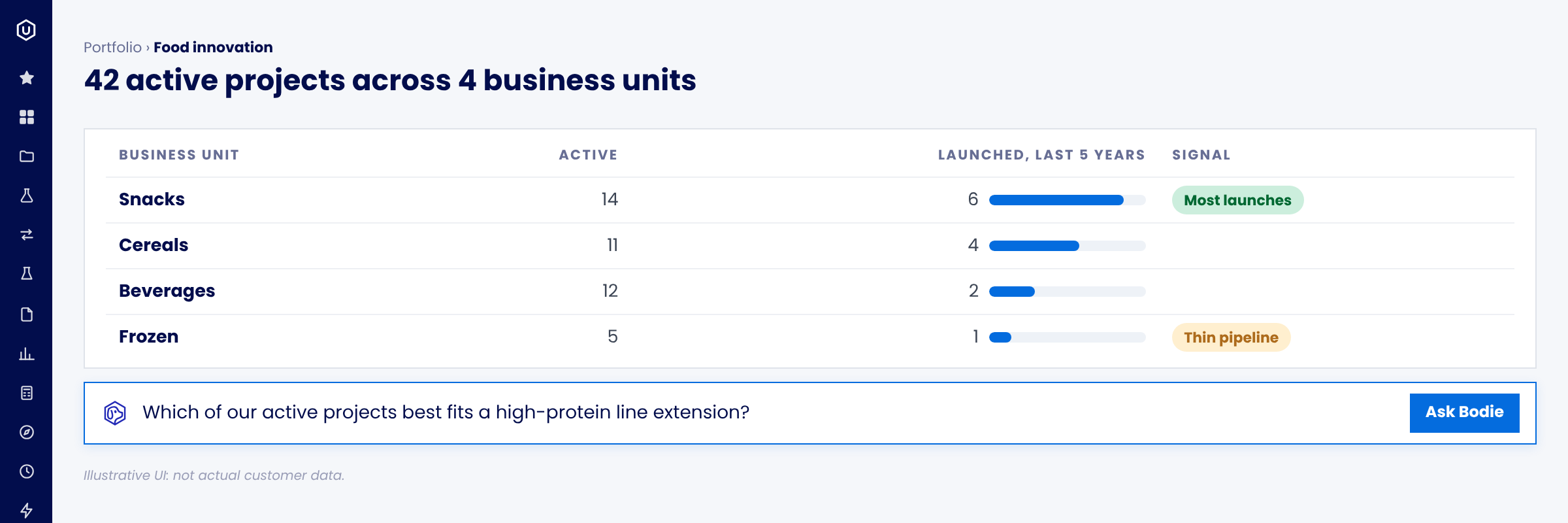
From question to gate-ready evidence
Four steps in one conversation with Bodie. No exports and no separate analytics tool.
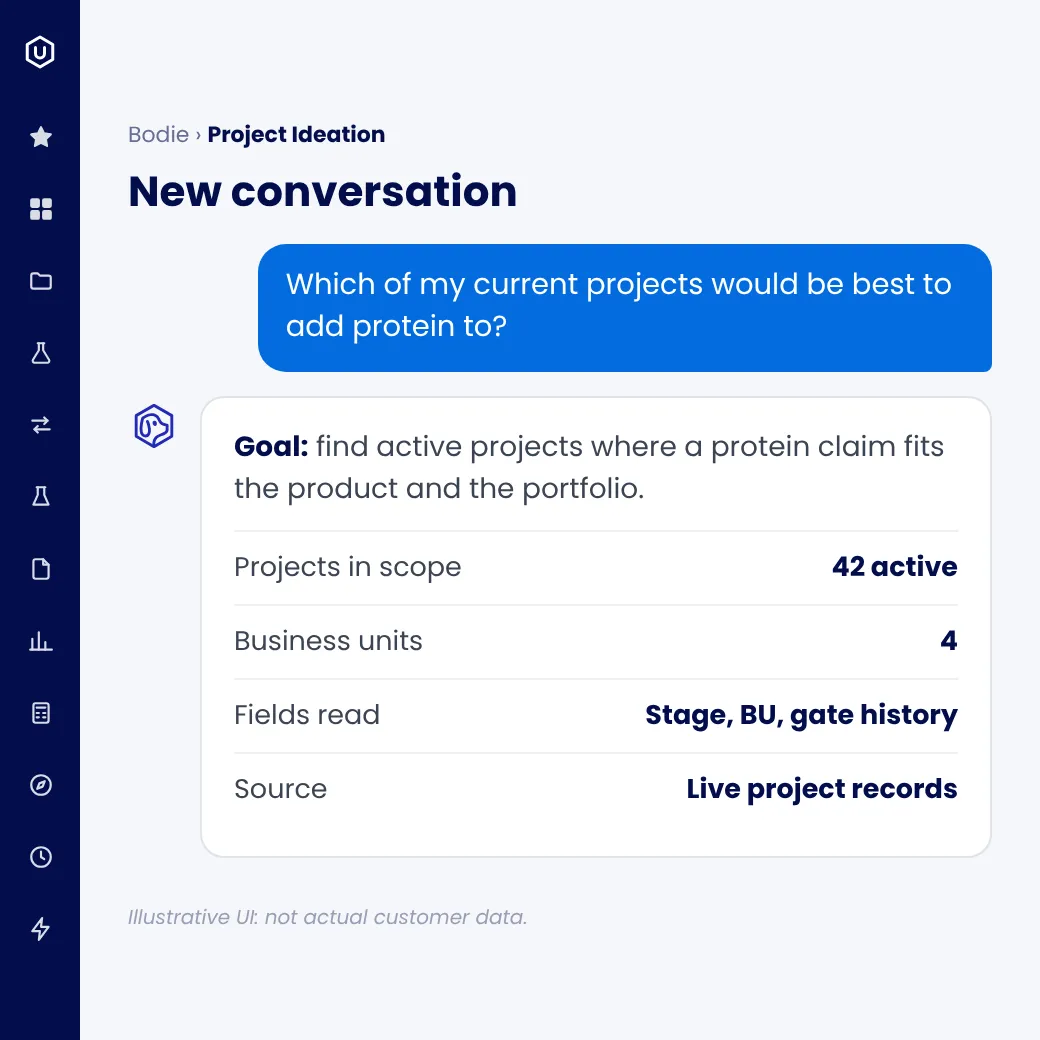
Start with the decision in front of you: "Which of our active projects best fits a high-protein line extension?" Bodie reads your live portfolio, not a static export.
Ask like you'd ask a colleague
Bodie works out the goal and scopes the projects it needs to read.
Live records, not old exports
The same structured project records your team uses for stage gates.
Web search waits for you
Nothing external is searched until you approve it.
“Ask like you’d ask a colleague, and get an answer grounded in your live portfolio.”
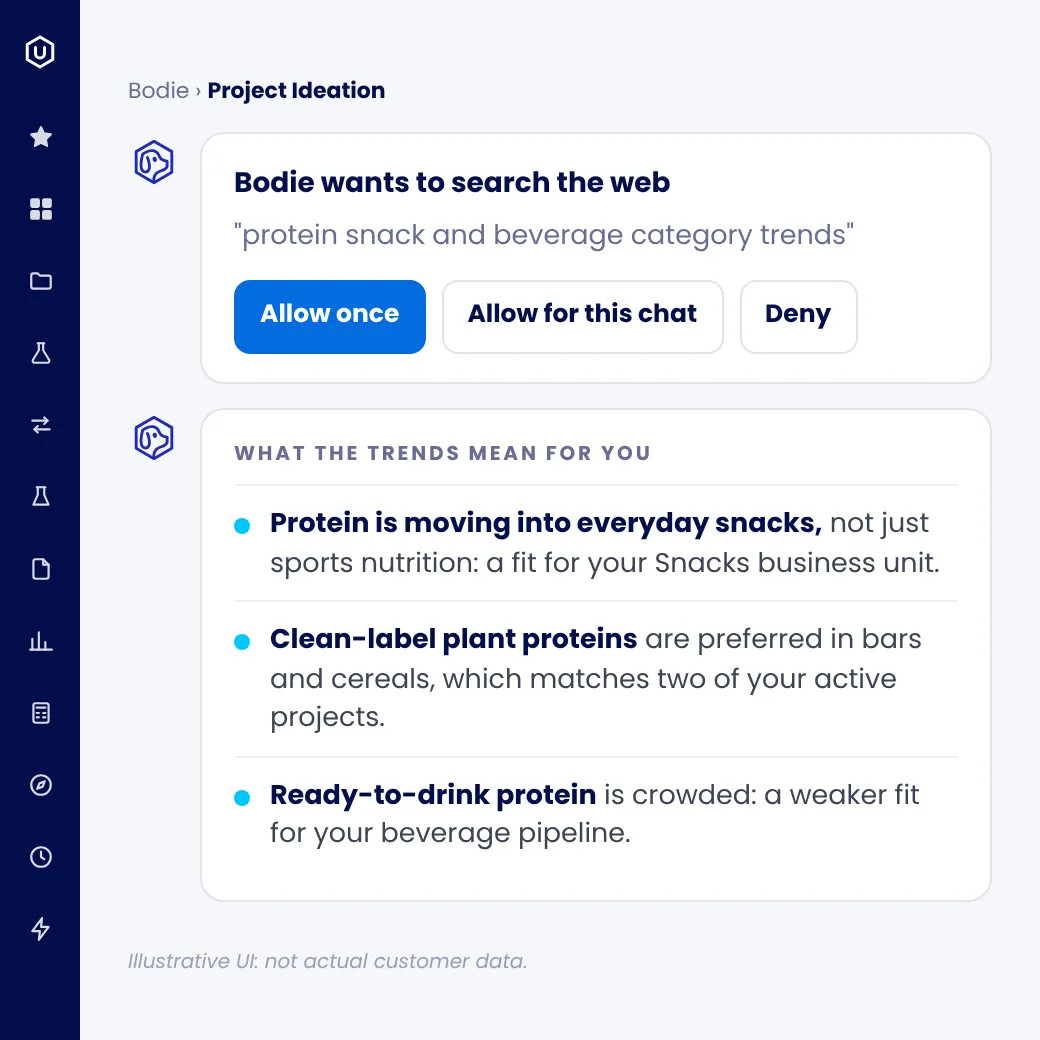
Outside data never slips in quietly. Every web search waits for your approval, and Bodie shows you the trends before they shape a recommendation.
You approve every search
Approve one search at a time, approve searches for the rest of the chat, or deny them.
Trends that mean something
Each result is explained in terms of what it means for innovation. No link dump to sort through.
Anchored to your portfolio
Trends sit beside the whiteboard they inform, so the link to your own projects stays visible.
Admins set the rules
Web search stays off until an admin turns it on, and admins can limit Bodie to approved sites.
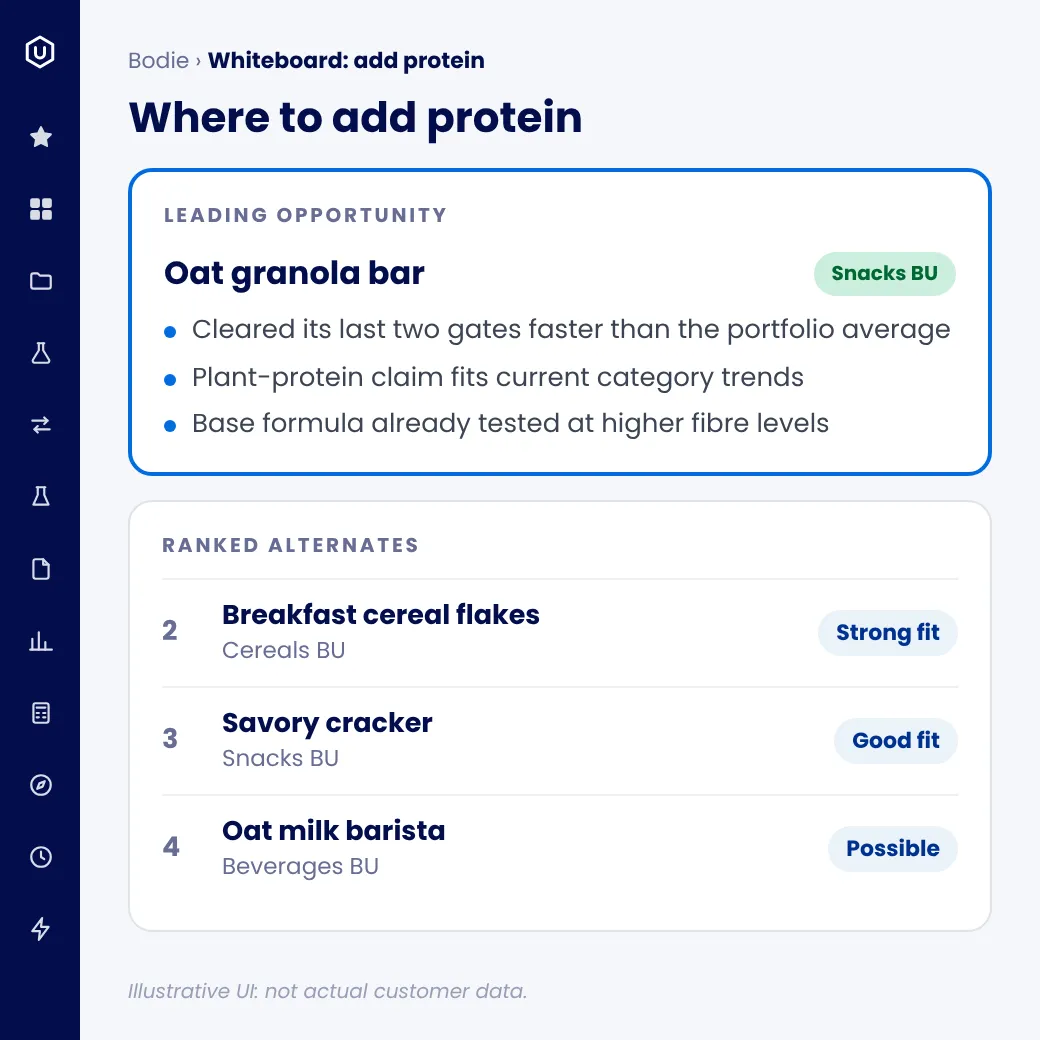
A leading pick, ranked alternates and the data behind each, laid out on a whiteboard you can inspect.
Reasoning you can check
Bodie explains each ranking using the fields your team already reviews at stage gates, such as gate outcomes, timelines, launch status and any financials you track.
Every number traces back
Tables and charts read your project records directly, with each user's own permissions, so reviewers can check any figure against its source projects.
A ranking, not a single answer
Alternates and their business units sit beside the leading opportunity, so you get the portfolio view.
“A ranking you can check, not a single answer you have to trust.”
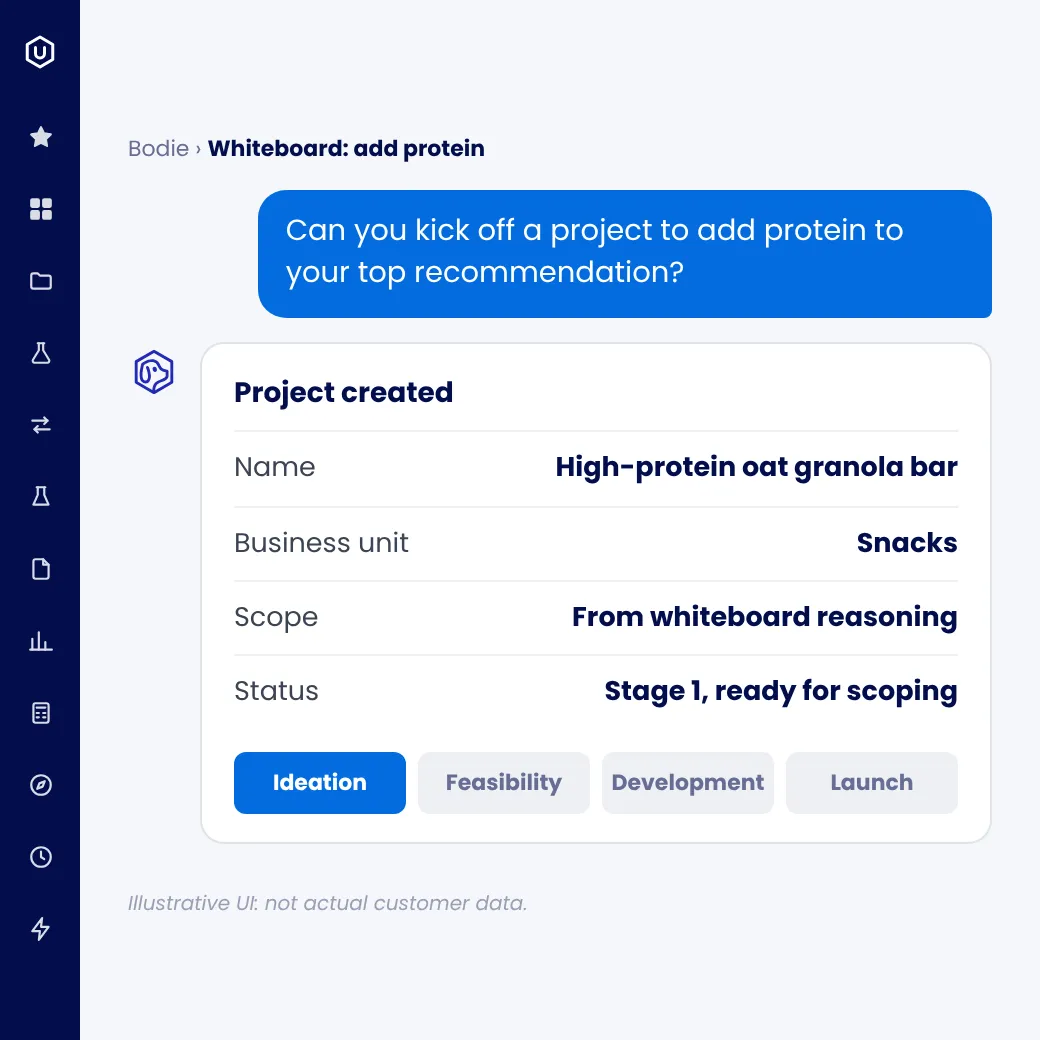
When your team agrees on a direction, ask: "Can you kick off a project for our top recommendation?" Bodie creates it in your project workflow, scoped from the whiteboard's reasoning.
Refine in place
Narrow the board to a business unit, audience or angle, and Bodie rebuilds it in the same conversation.
Act on the decision
Turn the chosen opportunity into a real project at the first phase of your workflow, with no separate hand-off.
Take it to the gate meeting
Export the whiteboard to Microsoft PowerPoint.
Stays current
Charts, tables and stats update with your project data. Ask Bodie to refresh its written analysis when the portfolio moves.
Two prompts get you started
Project Ideation works with or without web search. A typical first session:
Bodie updates the same whiteboard each time. No new report to chase.
Platform capabilities
Before and after Uncountable
The old way
The Uncountable Way
Your data stays yours
Your project data stays yours: isolated, encrypted, auditable and never used to train foundation models.



Better gate decisions start with project records you can trust.
When every project lives as structured data, Bodie can compare it, explain it and keep the analysis current. Structure first, AI second.
Frequently asked questions
No. Bodie can analyze your project portfolio and build an ideation whiteboard using only your own project records. When your admin enables web search, Bodie can add current market and category trends, and only after you approve the search.
Yes. Ask Bodie in the chat to kick off a project from any recommendation, and it creates a new project in your workflow, ready for scoping.
No. The charts and tables on the whiteboard read live project data, and you can ask Bodie to refresh, rebuild, or add sections at any time.
Bodie draws on your structured project records, the same fields used for stage-gating and portfolio dashboards, not spreadsheets or decks compiled after the fact.
Your admins. Web search stays off until an admin enables it for your account, and admins can limit Bodie to approved sites. Users can approve one search at a time, approve searches for the rest of the chat, or deny them.
No. Bodie ranks the options and shows the projects and reasoning behind each one. Your gatekeepers and steering committees make the decision.
Bodie uses the fields your team records, such as gate outcomes, launch status, timelines and any financials you track. You can tell it which criteria matter in the conversation.
Yes. Bodie reads project records in Uncountable's project and portfolio management. If you run portfolios in another tool today, talk to us about how to bring that history in.
Bodie reads all your project records, and new projects can start in whichever workflow your team uses.
Bring your next gate review.